Integrating PLATEAU × ODPT in Cesium: Lessons from Connecting 3D City Models and Real-Time Railway Data
This article explains the challenges of integrating PLATEAU 3D city models with ODPT train data in Cesium. It covers coordinate systems, 3D Tiles, LOD, route inference, interpolation, OSM, API security, and how to distinguish real data from best-effort inference in a real-time 3D city.
On this page
- 1. PLATEAU 3D Tiles: A 3D City Is More Than Just Loading a Tileset
- 2. Why Are Buildings “Floating” Above the Ground?
- There Is No Single Accurate Offset Value That Works Everywhere
- 3. Do Not Store PLATEAU Asset URLs Directly
- Solution: Use the datacatalog Endpoint
- 4. Textures Look Beautiful, but They Are Not Always the Best Choice
- Why Did the Project Choose lod2-notexture?
- 5. Bridges Are Different from Buildings
- 6. An Undefined Field Can Crash the Entire Render Loop
- Solution
- 7. PLATEAU Does Not Always Return Enum Values
- 8. Flood Risk: One River, One Field?
- Trade-Off
- 9. Loading and Unloading Wards Based on Distance
- Solution
- 10. Cesium Does Not Always Need 60 FPS
- 11. ODPT: Having Real-Time Data Does Not Mean Everything Is Real-Time
- 12. GTFS-Realtime Does Not Directly Tell Us Which Railway Line a Train Is Running On
- Solution: Infer the Route from Position
- 13. Five Operators Exist, but Only JR East Has Real-Time Train Data
- 14. Poll Every 20 Seconds, but Train Positions Change Every 40–90 Seconds
- Client-Side Interpolation
- 15. ODPT Provides Station Order but Not Railway Geometry
- Combining ODPT with OpenStreetMap
- 16. However, the Shortest Path Can Still Select the Wrong Track
- Multi-Source / Multi-Target Dijkstra
- 17. Trains Can “Jump” Between Two Parallel Railway Lines
- Pin the Railway ID
- 18. Not Every Operator Has Enough Data to Build Railway Geometry
- 19. Do Not Expose the Consumer Key in the Browser
- 20. The Timetable Does Not Include an Actual Public Holiday Calendar
- 21. A Cesium-Specific Issue: BoxGraphics Does Not Have scaleByDistance
- Solution
- 22. Issues Discovered During Testing
- Train Status Always Displays “Unknown”
- Clicking a Train Stopped at a Station Always Selects the Station
- 23. Broader Lessons
- 1. Open Data Does Not Mean Perfect Data
- 2. “Real Data” and “Inferred Data” Must Be Distinguished
- 3. Geometry and Semantic Data Can Complement Each Other
- 4. Stability Can Sometimes Matter More Than Absolute Accuracy
- 5. Performance Is Not Just About FPS
- Conclusion
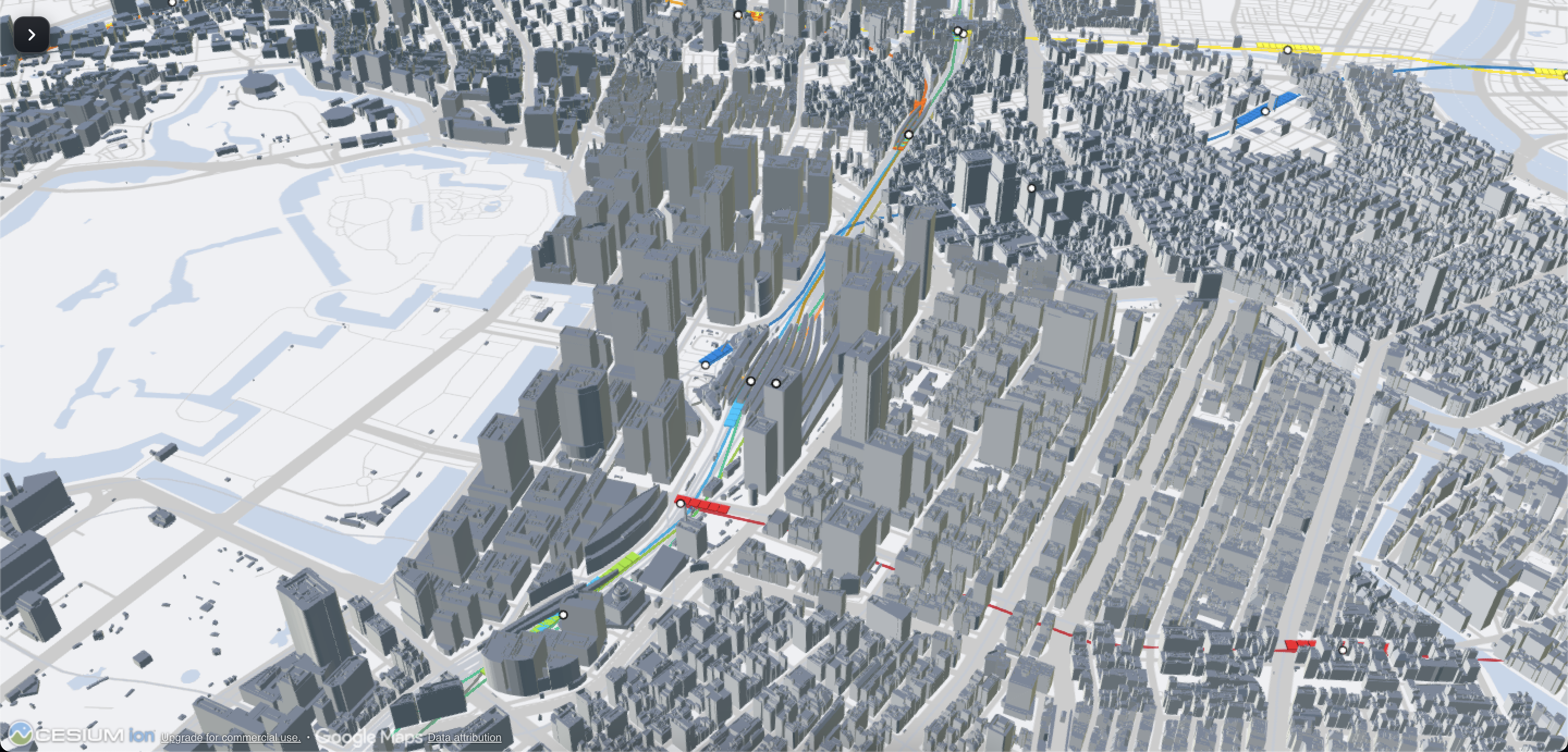
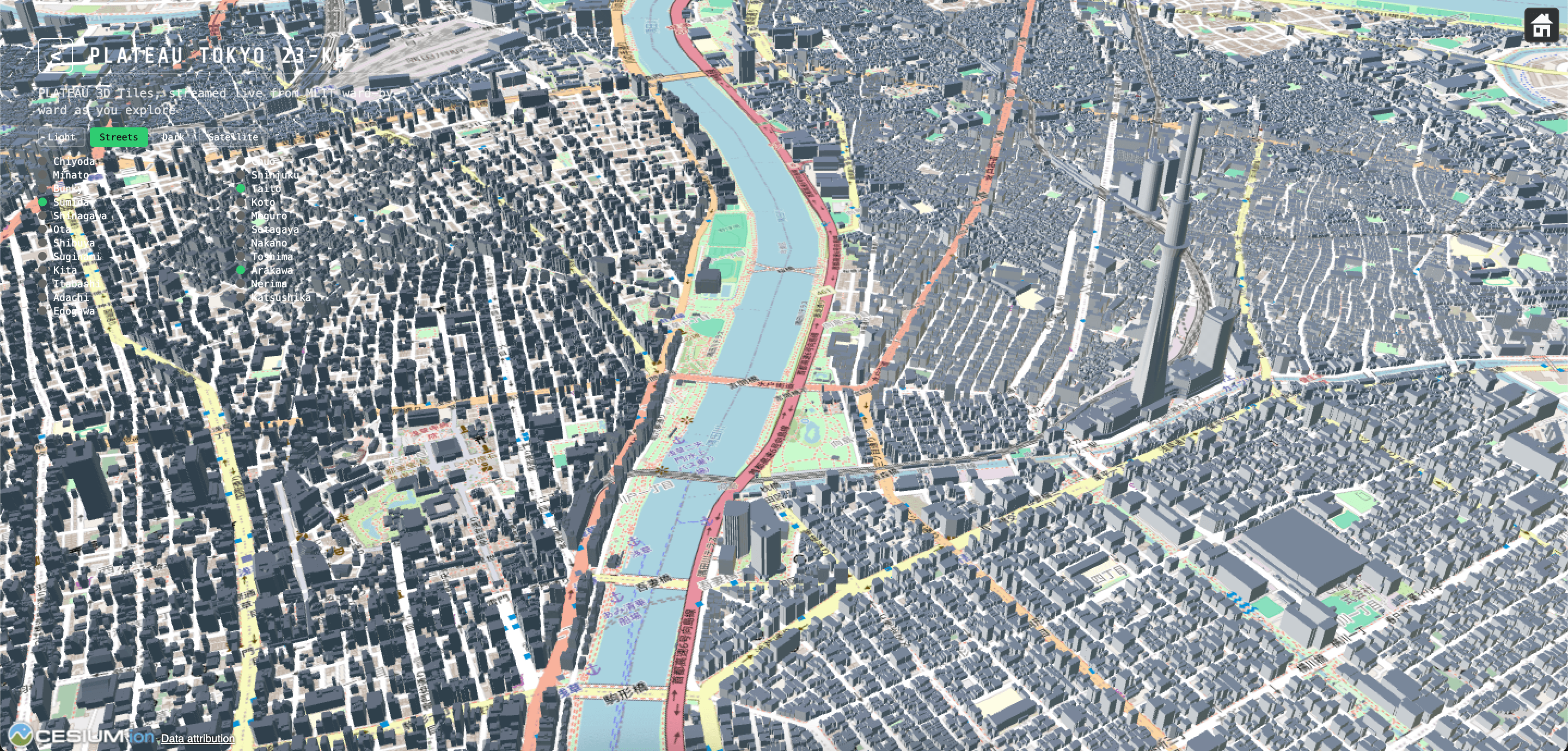
When building a 3D map demo of Japan with Cesium, combining PLATEAU—the 3D city model data provided by Japan’s Ministry of Land, Infrastructure, Transport and Tourism (MLIT)—with ODPT, a public transportation dataset that includes real-time train positions, may seem very simple at first.
One provides the 3D city, while the other provides moving trains. Wouldn’t it be enough simply to place these two data sources on the same map?
In reality, it is not that simple.
PLATEAU and ODPT are both extremely useful open data sources, but each has its own limitations in terms of coordinate systems, schemas, data stability, performance, schedules, and how datasets can be connected with one another.
During the development of the cesium-plateau demo, we encountered many interesting challenges. Some could be solved with code, while others required us to accept a certain degree of error and design the system using a best-effort approach.
This article summarizes the most important challenges and how we addressed them.
1. PLATEAU 3D Tiles: A 3D City Is More Than Just Loading a Tileset
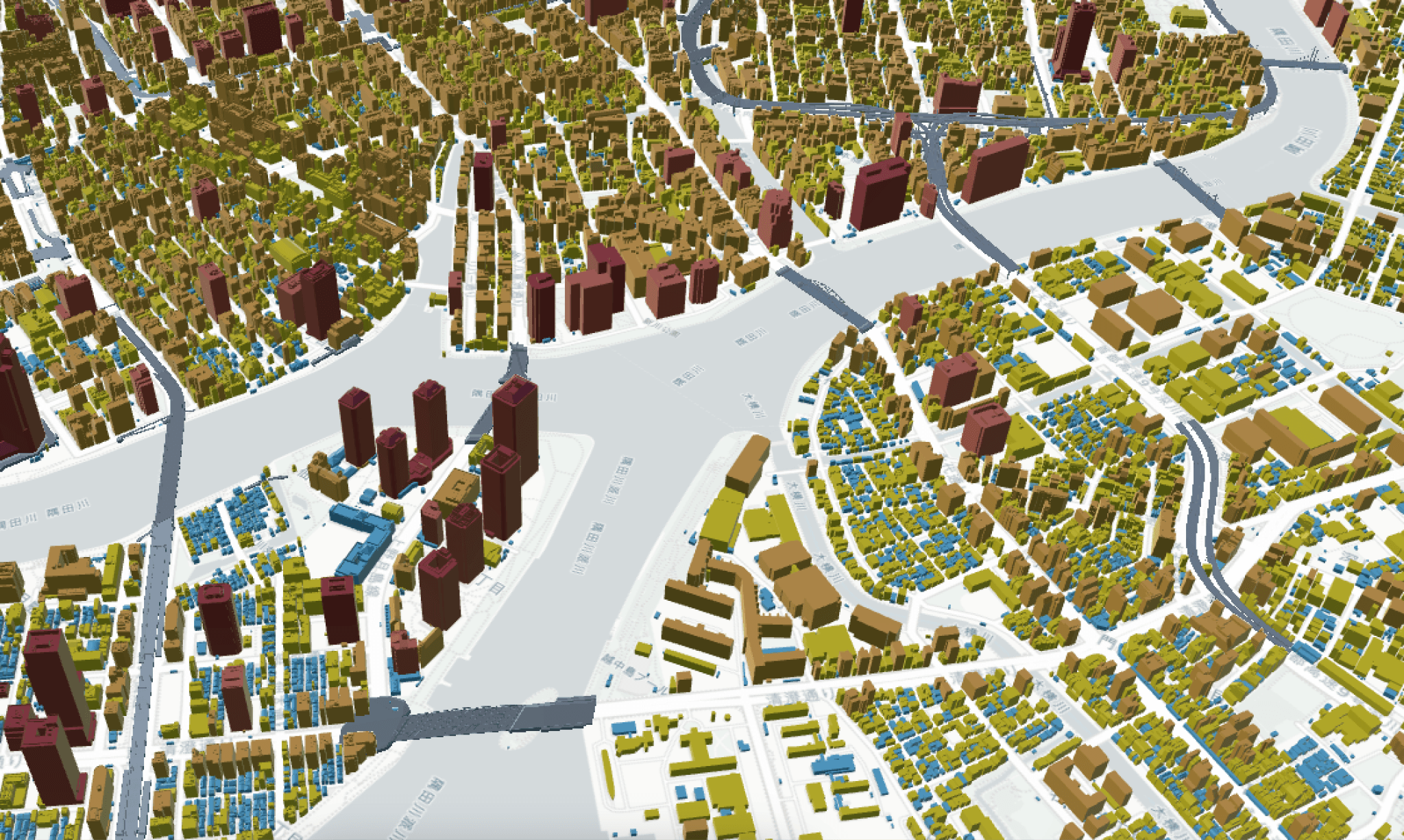
PLATEAU provides buildings and bridges in the 3D Tiles format, which can be streamed directly through tileset.json without requiring a custom backend or Cesium ion token.
This is very convenient, but several issues begin to appear once the data is imported into Cesium.
2. Why Are Buildings “Floating” Above the Ground?
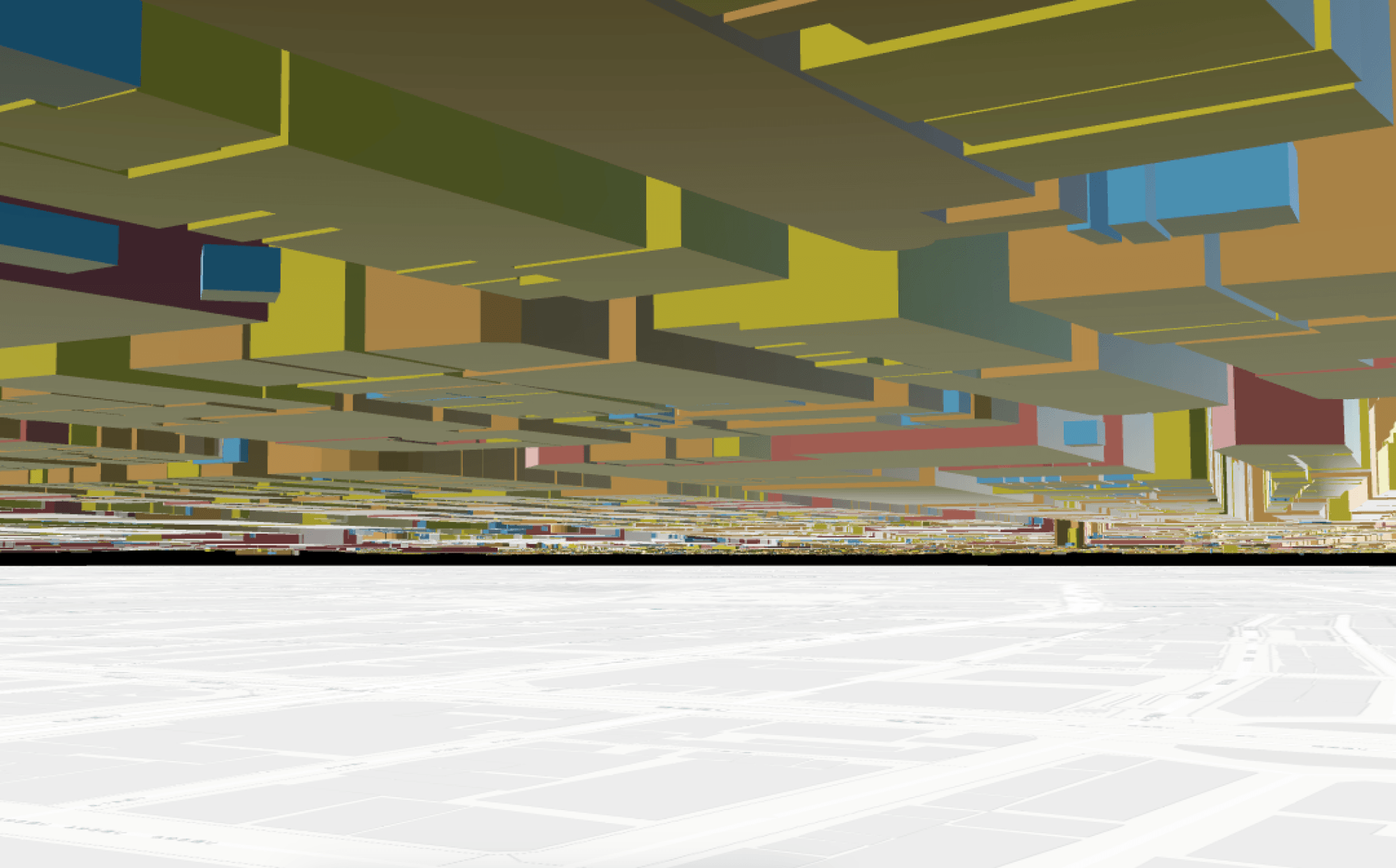
One of the first obvious issues is that some buildings appear to float several tens of meters above the ground.
The cause lies in the difference between the height reference systems.
PLATEAU uses heights based on the JGD2011 geoid, while Cesium positions tilesets based on the WGS84 ellipsoid.
When viewed directly from above, this gap can be difficult to notice. However, once the camera is tilted, the gap between the buildings and the roads becomes very clear.
There Is No Single Accurate Offset Value That Works Everywhere
A simple solution would be to add or subtract a fixed value from the height of the entire tileset.
However, the difference between the geoid and the ellipsoid—the geoid height—varies by location. Therefore, there is no single offset value that can be applied accurately across all of Tokyo.
In this project, instead of simply modifying the global Z-axis, we translated the entire tileset along the normal direction at the center of its bounding sphere.
The offset value is adjusted at runtime through setHeightOffset.
This allows the building positions to be fine-tuned by area without hard-coding a fixed value.
3. Do Not Store PLATEAU Asset URLs Directly
Another, less obvious issue appears when handling dataset URLs.
Whenever MLIT reprocesses the data for a particular ward, the asset path or hash on the CDN may change.
If the application stores the current asset URL directly, that URL may return a 404 error after the next dataset update.
Solution: Use the datacatalog Endpoint
Instead of storing CDN URLs directly, the project uses a stable endpoint provided by MLIT:
datacatalog/3dtiles/<ward>-bldg-lod2-...
This endpoint acts as an index layer that resolves to the actual tileset.json.
The trade-off is that each ward requires one additional small network request. In return, however, we gain an important advantage: links to datasets do not break even when MLIT reprocesses the data.
4. Textures Look Beautiful, but They Are Not Always the Best Choice
PLATEAU provides LOD2 versions with real-world photographic textures.
They look very impressive when viewed up close.
However, performance starts to become an issue when zooming out.
Tiles with textures can be approximately three to ten times larger than their non-textured counterparts. In some cases, a single tile can reach several megabytes in size.
When the camera is pulled back, Cesium may need to load more than 100 tiles at the same time.
In this situation, the bottleneck is not necessarily the number of concurrent requests, but the bandwidth required to load the data.
Why Did the Project Choose lod2-notexture?
The project chose to give up real-world textures in exchange for more stable loading performance.
Buildings are instead color-coded using 3D Tiles Style based on attributes such as:
- Height
- Usage
- Flood risk
This is particularly suitable for visualizations that require data analysis rather than simply displaying a visually attractive city.
5. Bridges Are Different from Buildings
PLATEAU does not organize bridges in the same way as buildings.
Buildings use the bldg schema, while bridges use brid.
Bridges also do not have an equivalent lightweight, non-textured version.
Another important point is that not all 23 wards have bridge data. Approximately one-third of the wards do not have bridge datasets.
Therefore, an empty bridge tileset should not be treated as an error.
The project handles bridges as an independent layer:
Buildings
└── Building Tileset
Bridges
└── Bridge Tileset
setBridgesVisible is also handled separately from buildings.
For wards without bridge data, the absence of data is treated as a normal state rather than triggering retries or warning messages.
6. An Undefined Field Can Crash the Entire Render Loop
One of the most troublesome errors comes from 3D Tiles Style.
For example, the field:
bldg:measuredHeight
cannot be used directly with the ${...} shorthand because the field name contains a colon (:).
Instead, it must be written as:
${feature['bldg:measuredHeight']}
However, that is not the biggest challenge.
Some features may not contain this field at all, meaning its value is undefined. If a style expression performs a comparison such as:
height >= 100
and the value being compared is undefined, Cesium may throw a RuntimeError.
The dangerous part is that this may not remain an error affecting only a single feature.
It can crash the entire render loop.
Solution
Cast the value before comparing it:
Number(${feature['bldg:measuredHeight']})
Number(undefined) returns NaN.
In this case, the comparison evaluates to false, allowing the feature to fall back to the default color branch instead of breaking the entire system.
This leads to a very important principle when writing Cesium styles:
Do not assume that every feature has a complete set of properties.
7. PLATEAU Does Not Always Return Enum Values
Another example is:
bldg:usage
Instead of returning a fixed enum code, it may directly return Japanese labels such as:
業務施設
商業施設
There is also no complete list covering every possible value that may appear.
Therefore, the project does not assume that the current mapping is complete.
Instead, it handles values as follows:
Known value
↓
Matched category
↓
Category color
Unknown value
↓
Neutral fallback color
Unknown values are treated as “unclassified” rather than as errors.
8. Flood Risk: One River, One Field?
This is one of the most interesting examples of schema-related issues.
PLATEAU contains hazard fields associated with individual river systems. The names of these fields may vary by area.
After examining only two wards, we observed seven different field names.
If an application selects a specific field for a specific river, another ward where that river does not exist may incorrectly appear “safe” simply because no data exists for that field.
Trade-Off
The project decided to use a storm surge field whose name is consistent across wards.
This does not represent every river-related flood scenario, but in return it provides a consistent property across the application.
This is an important trade-off:
A dataset with narrower coverage but a consistent schema can sometimes be more useful than a broader dataset with an unstable schema.
9. Loading and Unloading Wards Based on Distance
Tokyo has 23 wards. If all building tilesets are loaded simultaneously, the application must process a massive amount of data.
The project uses three parameters:
LOAD_DISTANCE_METERS
UNLOAD_DISTANCE_METERS
MAX_ACTIVE_WARDS
Initially, distance was calculated using the camera’s full 3D position.
However, this created a problem.
In the home view, the camera altitude can reach approximately 1,200 meters. This immediately pushes the distance to the wards beyond the threshold, resulting in no wards being loaded.
Solution
Distance is calculated based on the camera position projected onto the ground, ignoring camera altitude.
The project also introduced hysteresis:
Load: 2500m
Unload: 4500m
If only a single threshold were used, moving the camera back and forth near the boundary could cause a tileset to repeatedly:
Load → Unload → Load → Unload
Using two different thresholds prevents this behavior.
MAX_ACTIVE_WARDS = 5
also ensures that the number of active wards is always limited.
If the limit is exceeded, the farthest ward is unloaded.
10. Cesium Does Not Always Need 60 FPS
Even when a Cesium scene is almost completely static, it can continue rendering at 60 frames per second by default.
This means the GPU continues working even when the camera is not moving.
The project uses:
requestRenderMode: true
so that the scene is rendered again only when something actually changes.
In addition:
maximumScreenSpaceError: 24
skipLevelOfDetail
cullRequestsWhileMoving
are used to reduce unnecessary data and requests.
We also experimented with dynamicScreenSpaceError.
However, in close-range views looking almost vertically downward, it caused LOD flickering even when the camera was stationary.
For that reason, the project chose a fixed maximumScreenSpaceError rather than a dynamic one.
11. ODPT: Having Real-Time Data Does Not Mean Everything Is Real-Time
After dealing with PLATEAU, the next challenge was ODPT.
ODPT provides data such as:
- Train positions
- Stations
- Railways
- Timetables
In this project, ODPT and Overpass are proxied through the backend to protect the developer consumer key.
12. GTFS-Realtime Does Not Directly Tell Us Which Railway Line a Train Is Running On
This is one of the biggest limitations of the real-time data.
In the JR East GTFS-Realtime feed, TripDescriptor contains a tripId, but no routeId.
We attempted to join the tripId with odpt:Train in the catalog, but the result was:
0 out of 415 tripIds matched trainNumber.
In other words, the IDs in the two systems cannot be joined directly.
Therefore, there is no reliable way to state with certainty:
This train is running on Line X.
Solution: Infer the Route from Position
The project uses the train position and searches for the nearest railway polyline within 330 meters.
The result is treated as:
best-effort route inference
rather than pretending that it is absolutely accurate data.
This is an important principle when building visualization systems from open data:
When the source data does not provide information directly, clearly distinguish between actual source data and inferred data.
13. Five Operators Exist, but Only JR East Has Real-Time Train Data
ODPT provides data for multiple operators:
- JR East
- Tokyo Metro
- Toei Subway
- Yurikamome
- Rinkai Line
However, in Challenge 2026, only JR East's GTFS-Realtime feed is currently active.
The feeds for the other four operators return 404 errors.
This led to a very clear design:
Stations / Railway
├── JR East
├── Tokyo Metro
├── Toei Subway
├── Yurikamome
└── Rinkai Line
Realtime Train Animation
└── JR East
By not retrying endpoints that do not exist, we reduce unnecessary requests and avoid making the application appear to be malfunctioning.
14. Poll Every 20 Seconds, but Train Positions Change Every 40–90 Seconds
This is a typical example of the difference between API polling frequency and data update frequency.
The client polls the feed every 20 seconds.
However, when tracking the same vehicle ID, most responses return the same coordinates as the previous response.
The actual train position changes only approximately every 40–90 seconds.
If a new data point is received and the marker is snapped directly to the new position, the animation looks like this:
The train remains stationary for a while and then suddenly appears to teleport.
●──────────────●
^ ^
old position new position
The train remains stationary for a while and then suddenly appears to teleport.
Client-Side Interpolation
The project interpolates between the old and new positions.
The server feed is updated approximately every 20 seconds, while the client-side animation tick runs every 300 ms.
This produces:
Serverold position ───────── new position
Clientsmooth interpolation
●──●──●──●──●──●──●──●
The train therefore moves more smoothly even when the source data is updated relatively infrequently.
15. ODPT Provides Station Order but Not Railway Geometry
ODPT provides stationOrder and the coordinates of each station.
The simplest approach would be to connect them like this:
Station A ───────── Station B
However, real railway tracks do not run in straight lines.
Simply connecting two points can result in railway lines that:
- Pass through buildings
- Pass through roads
- Point in the wrong direction around curves
Combining ODPT with OpenStreetMap
The project uses Overpass to retrieve OSM ways with the following tag:
railway=rail
It then builds a railway graph.
For each pair of adjacent stations, the algorithm searches for the shortest path through the graph and extracts a railway polyline that more closely matches the actual railway geometry.
The process looks like this:
ODPTStation A ───── Station B
│ │
↓ ↓
OSM Railway Graph
↓
Realistic Railway Path
This is a typical example of one data source providing semantic information while another provides geometry.
Combining the two sources produces significantly better results than using either source independently.
16. However, the Shortest Path Can Still Select the Wrong Track
Tokyo has many railway lines running in parallel.
For example:
- Yamanote Line
- Chuo-Sobu Local Line
- Keihin-Tohoku Line
A single station may be close to nodes belonging to several different railway lines.
If the process simply:
Snaps Station A to the nearest node
Snaps Station B to the nearest node
Searches for the shortest path
the algorithm may select nodes on two different parallel railway lines.
This can produce an extremely indirect route.
In one Tokyo Station → Kanda Station case, the actual distance was approximately 1.2 km, while the generated route was approximately 7 km.
This type of error occurred in 27 out of 204 station pairs.
Multi-Source / Multi-Target Dijkstra
Instead of starting from a single node, the algorithm begins from all nodes within the snapping radius around the starting station.
Likewise, the search stops when it reaches any node within the snapping radius of the destination station.
As a result, the algorithm can select the most direct railway connection without being locked to a single nearest node.
After applying this change:
The worst detour ratio dropped from 24× to 1.6× across the 27 problematic pairs.
This was a major improvement achieved simply by changing how the start and end points of the graph search were selected.
17. Trains Can “Jump” Between Two Parallel Railway Lines
Even after the railway polylines have been constructed accurately, matching trains to railways based on nearest distance still presents a challenge.
A real train may repeatedly be matched like this:
Chuo-Sobu Local Line
↓
Sobu Rapid Line
↓
Chuo-Sobu Local Line
Because the two tracks are extremely close to each other, nearest-distance matching becomes unstable.
This is especially noticeable in styling and animation.
When the railway ID changes, the arc-length position also changes, which can make the train appear to move backward.
Pin the Railway ID
The project decided to prioritize stability.
Once a vehicle has been matched to a particular railway:
Vehicle
↓
Matched railway
↓
PIN railway ID
Subsequent polling continues to use that pinned railway ID.
A new railway is searched for only when the current railway is no longer valid.
This produces significantly more stable animation than searching for the nearest railway on every poll.
18. Not Every Operator Has Enough Data to Build Railway Geometry
Another problem lies in station coordinate data.
In Challenge 2026, only JR East station records contain:
geo:long
geo:lat
The other four operators do not contain coordinate information in this data source.
Without coordinates, stations cannot be used as anchors to connect to the OSM railway graph.
Therefore, the project builds railway polylines only for:
ODPT_TRAIN_OPERATOR_IDS = JR East
This is a more practical choice than attempting to create unreliable polylines for operators whose data is incomplete.
19. Do Not Expose the Consumer Key in the Browser
The ODPT consumer key is associated with a registered account and should not be embedded directly in the frontend.
If the client calls the API directly:
Browser → ODPT
the key may be exposed.
The project uses a backend proxy:
Browser → /api/odpt/* → Server → ODPT
Likewise, railway data from Overpass passes through:
/api/osm/railways
The key exists only on the server.
In addition to security, the server also helps manage rate limits and caching.
A rate limit of approximately 20 requests per minute per IP also directly influences how the client polling interval is designed.
20. The Timetable Does Not Include an Actual Public Holiday Calendar
Another limitation of the ODPT timetable is its calendar.
JR East timetables essentially distinguish only between:
- Weekday
- SaturdayHoliday
They do not provide a detailed, actual public holiday calendar.
For example, even if Monday is a public holiday, it may still be treated simply as a weekday.
The project accepts this limitation and uses a weekday/weekend approximation.
Another interesting detail is that timetable times may be represented as:
25:10
instead of:
01:10
01:10
In practice, this is quite convenient for processing.
If time is treated as “minutes from midnight” without limiting it to 1,439 minutes, 25:10 naturally falls after 23:59.
No special logic is required for times after midnight.
21. A Cesium-Specific Issue: BoxGraphics Does Not Have scaleByDistance
To make trains look more like actual railway vehicles, the project changed the markers from points to BoxGraphics.
However, BoxGraphics does not provide:
disableDepthTestDistance
scaleByDistance
These two properties are very useful with PointGraphics or BillboardGraphics.
Solution
The project manually calculates the size of each box based on the distance from the camera:
Camera → distance to train → calculate dimensions → resize BoxGraphics
The 3D dimensions are adjusted on every tick so that the train's apparent screen size remains approximately consistent across different zoom levels.
In return, the project preserves realistic occlusion:
If a building is in front of a train, the train is hidden by the building.
This is considered an acceptable design choice because it makes the 3D scene appear more natural.
22. Issues Discovered During Testing
In addition to the issues already addressed, testing revealed two problems that have not yet been fully resolved.
Train Status Always Displays “Unknown”
GTFS-Realtime returns currentStatus as a numeric enum:
0, 1, 2
However, the UI lookup table uses string keys such as:
INCOMING_AT
STOPPED_AT
IN_TRANSIT_TO
As a result, looking up the value using the number never produces a match.
The recommended solution is to first map the numeric enum to the corresponding enum name:
0 → INCOMING_AT
1 → STOPPED_AT
2 → IN_TRANSIT_TO
and then pass that value to the UI label table.
Clicking a Train Stopped at a Station Always Selects the Station
This is a picking issue in Cesium.
Station markers use:
disableDepthTestDistance: Infinity
which causes them to remain on top regardless of the depth test.
Trains, on the other hand, use BoxGraphics and are affected by depth testing normally.
When a train is stopped exactly at a station:
Train
Station
clicking may always return the station instead of the train.
The proposed solution is to apply logic similar to drillPick:
Top pick = Station
↓
Check nearby train
↓
Train exists?
↓
Pick Train
This allows the train to be prioritized when both the train and station occupy the same pixel.
23. Broader Lessons
After combining PLATEAU, ODPT, OSM, and Cesium, we identified several important lessons that can also be applied to other visualization projects.
1. Open Data Does Not Mean Perfect Data
Open data may lack:
- Fields
- Enums
- Coordinates
- Real-time updates
- Stable IDs
- Geometry
Applications should not be designed on the assumption that schemas are always complete.
2. “Real Data” and “Inferred Data” Must Be Distinguished
For example:
Train position
→ Real data
Train route
→ Best-effort inference
These two types of information need to be processed and displayed with different levels of confidence.
3. Geometry and Semantic Data Can Complement Each Other
ODPT knows:
Station A → Station B
OSM knows:
How the actual railway track runs.
Combining the two sources produces much better results than using either one independently.
4. Stability Can Sometimes Matter More Than Absolute Accuracy
For example, matching a train to the nearest railway on every poll may appear more “accurate” in theory.
However, if a train constantly switches between two parallel tracks, the animation quality becomes extremely poor.
Pinning the railway ID produces a more stable result.
In real-time visualization:
A slightly inaccurate but stable result is often better than a result that changes continuously.
A slightly inaccurate but stable result is often better than a result that changes continuously.
5. Performance Is Not Just About FPS
When building a large-scale 3D map, performance also depends on:
- Network bandwidth
- Number of active tiles
- LOD
- GPU rendering
- Request frequency
- Memory usage
- Data update frequency
For example, PLATEAU textures primarily create a bandwidth problem, while Cesium's render loop creates GPU and power-consumption issues.
Before optimizing, it is necessary to identify the actual bottleneck correctly.
Conclusion
Integrating PLATEAU and ODPT in Cesium is not simply a matter of:
Real-time 3D city
In reality, it requires solving a chain of challenges ranging from coordinate systems, unstable asset URLs, LOD, missing datasets, undefined properties, and inconsistent schemas to real-time feeds, railway matching, graph routing, position interpolation, and API security.
More importantly, many issues cannot be completely “fixed” because the limitations originate in the source data itself.
In such cases, the most effective approach is:
Clearly understand the limitations of the data → determine the trade-offs → choose a good-enough solution → clearly identify what is real data and what is inferred data.
That is what makes building a real-time 3D map from open data a much more interesting and rewarding challenge than simply displaying a few tilesets and markers in Cesium.
Struggling to turn ideas into reality? With a proven track record of over 1,000 clients, our agile and flexible team will accelerate your business growth.