
GLB Texture Editor: Edit 3D Model Textures and Materials in Real Time in Your Browser
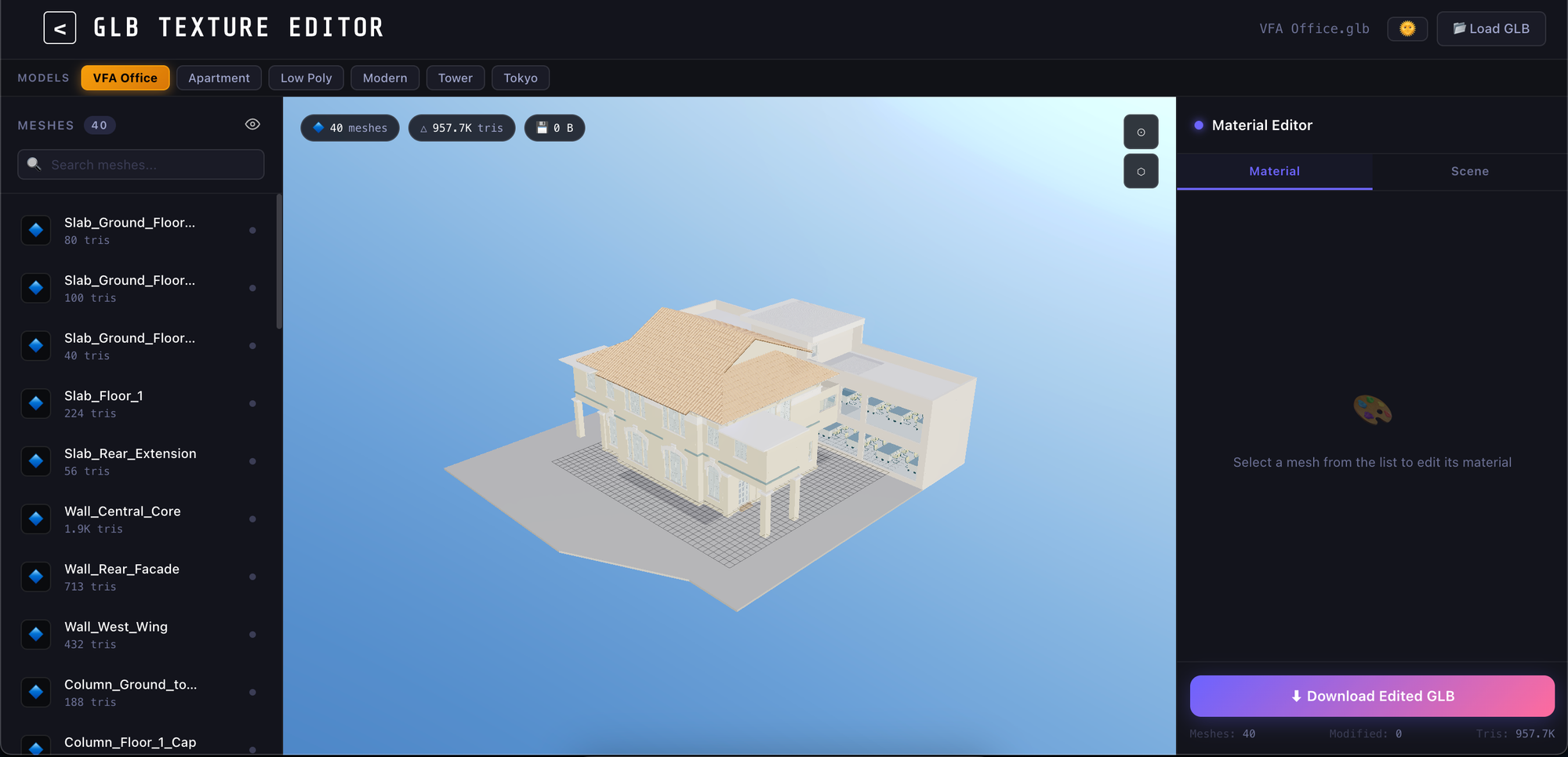
When developing applications for 3D, AR/VR, digital twins, or e-commerce platforms, dedicated software such as Blender, Maya, or 3ds Max is commonly used to adjust the materials and textures of 3D models. However, this approach not only makes workflows more complex but can also make collaboration between stakeholders more difficult.
To address these challenges, we developed GLB Texture Editor, an online tool that allows users to edit the textures and materials of GLB models directly in a web browser without installing any software.
What Is GLB Texture Editor?
GLB Texture Editor is a web-based platform that allows users to upload 3D models in GLB format and modify their colors, materials, textures, and other visual properties in real time.
Changes are immediately reflected in the 3D model, allowing users to review the results and make adjustments efficiently.
Check Demo: GLB Texture Editor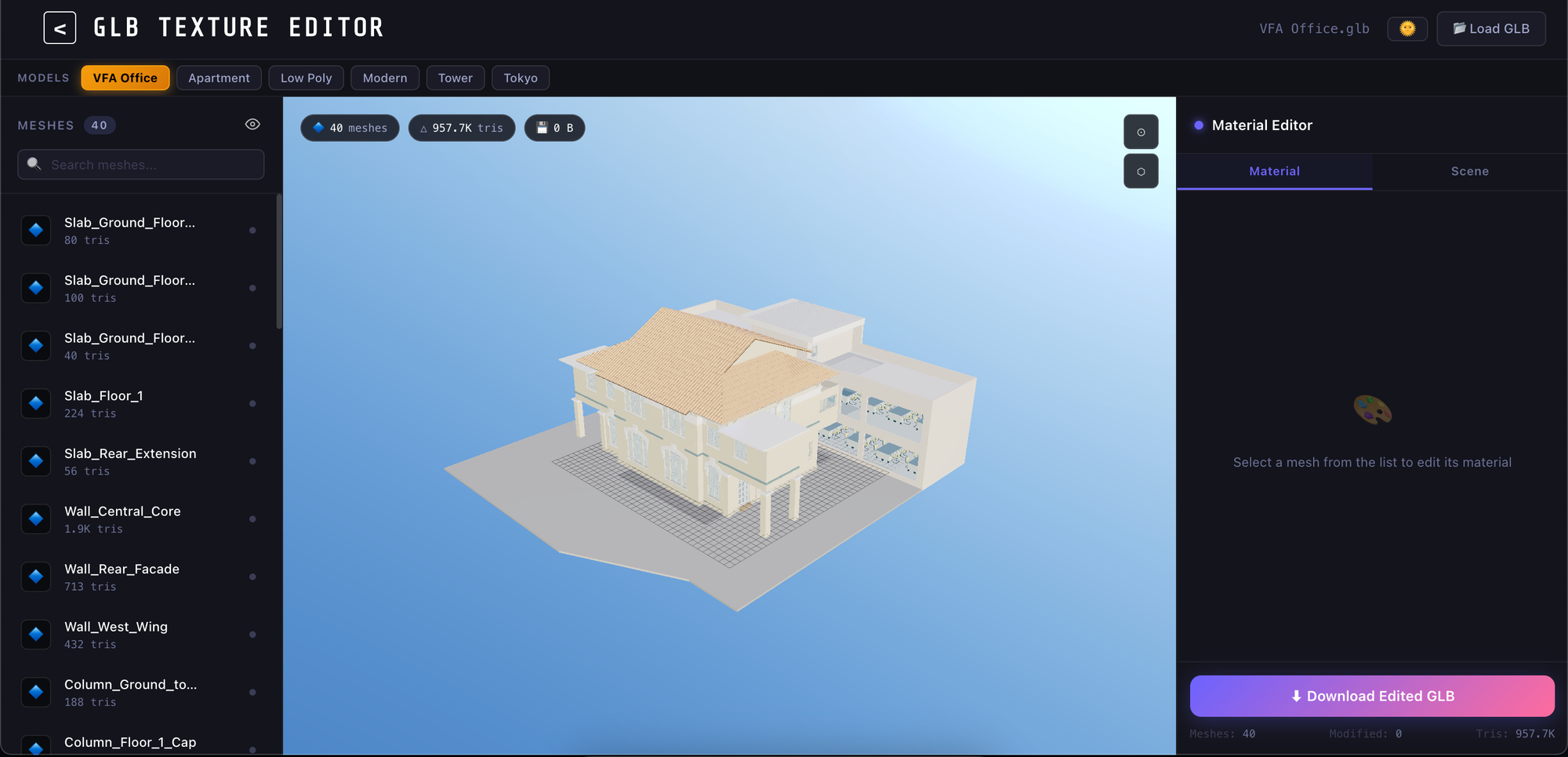
Key Features
Real-Time Preview
When textures or materials are edited, the results are immediately reflected in the model.
This provides several benefits:
- Reduces the time required for trial and error
- Improves the efficiency of design work
- Reduces the need to repeatedly re-export and re-import models
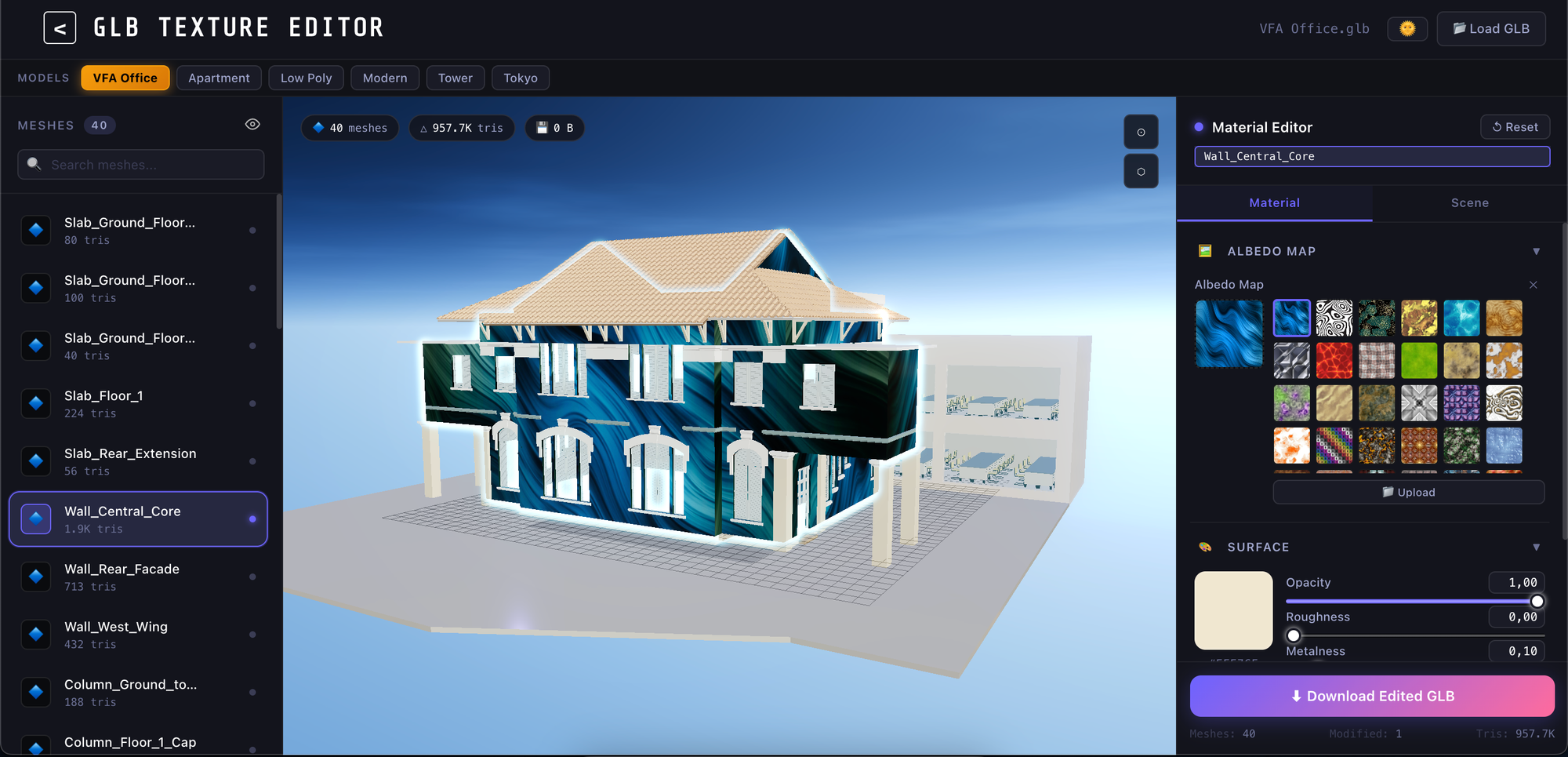
Color and Material Editing
Users can modify key material parameters, including:
- Base Color
- Roughness
- Metalness
- Transparency
- Other visual parameters
This makes it possible to create multiple variations of the same product or model in a short period of time.
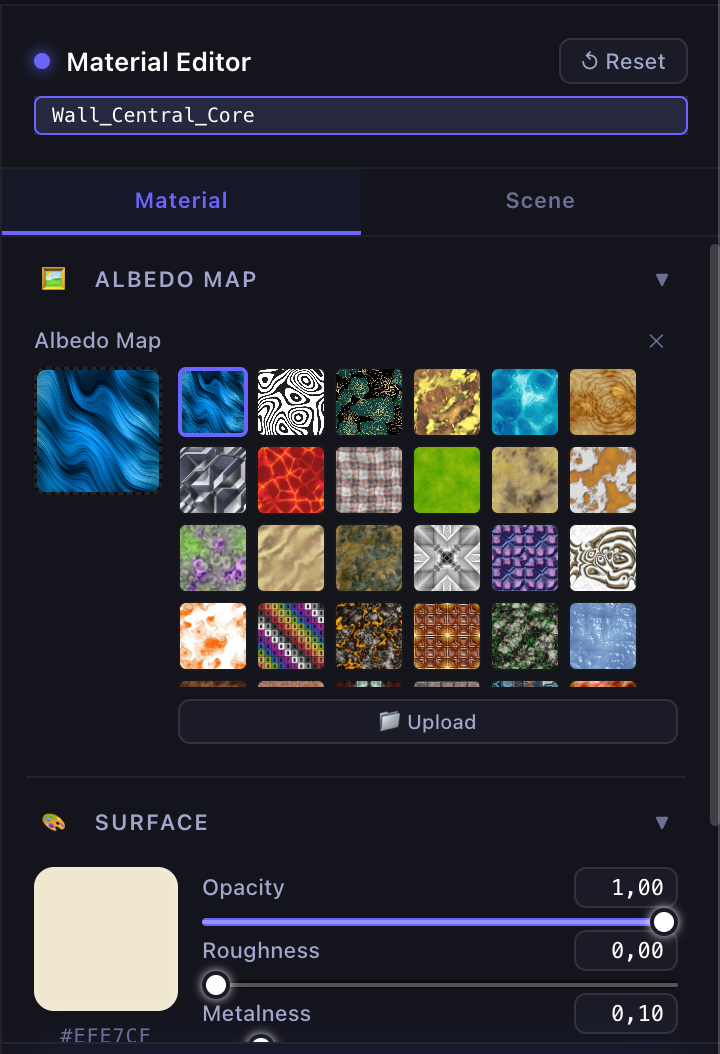
Texture Replacement and Updates
Users can upload a new texture and apply it directly to the model.
This makes it possible to quickly review design updates and material changes, significantly improving the efficiency of the production process.
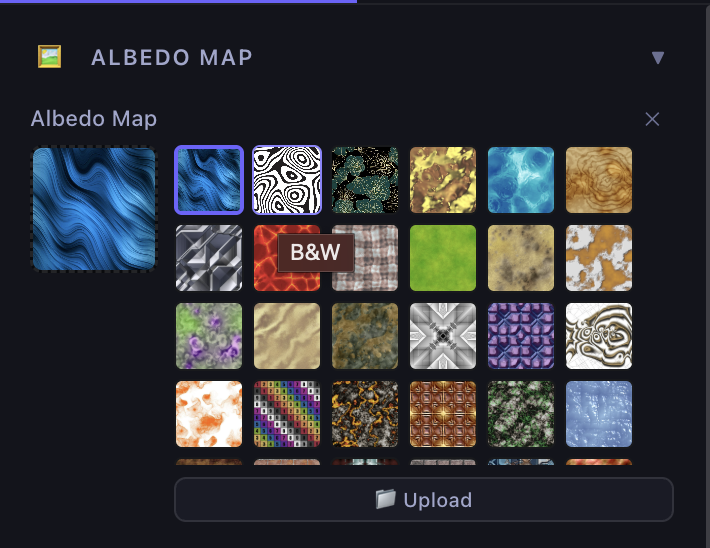
Flexible Texture Mapping Controls
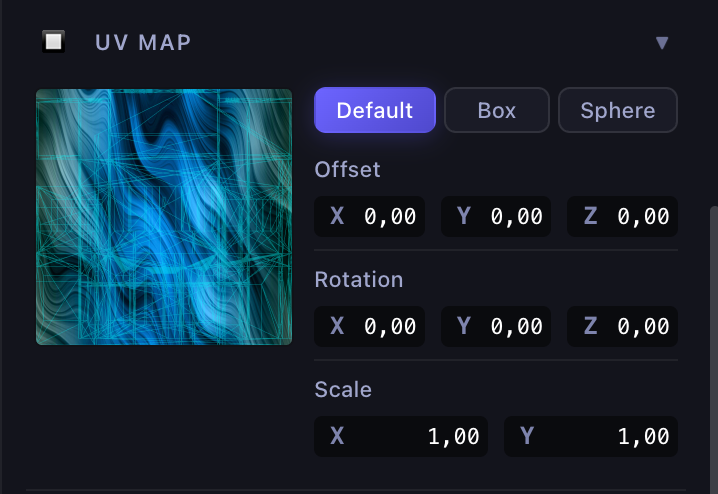
GLB Texture Editor allows users not only to modify textures and materials but also to fine-tune how textures are applied to the model.
Users can easily adjust the following settings:
Position
Move the texture across the surface of the model and adjust it to the desired display position.
Rotation
Rotate the texture to any angle to achieve the appearance best suited to the design.
Scale and UV Mapping
Adjust how the texture is mapped across the model to prevent distortion and unwanted repetition.
Projection Mapping Support
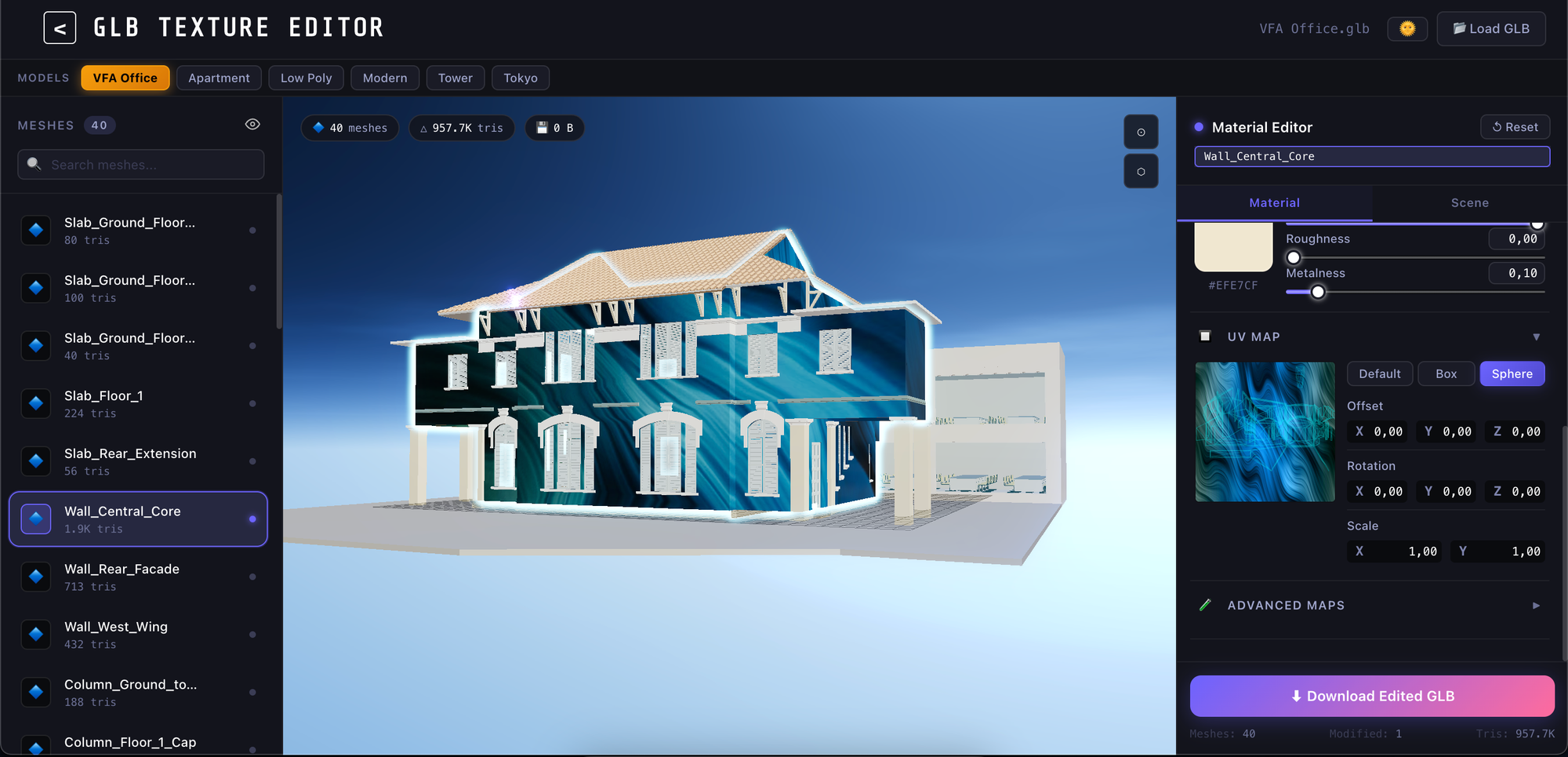
GLB Texture Editor supports multiple texture projection methods.
Sphere Projection
This method projects a texture based on a spherical surface.
It is suitable for curved objects such as:
- Globes
- Balls
- Bottles
- Organically shaped objects
Box Projection
This method projects a texture from each side of a box surrounding the model.
Because it can reduce texture stretching on complex surfaces, it is suitable for models such as:
- Buildings
- Furniture
- Industrial machinery
- Architectural and BIM models
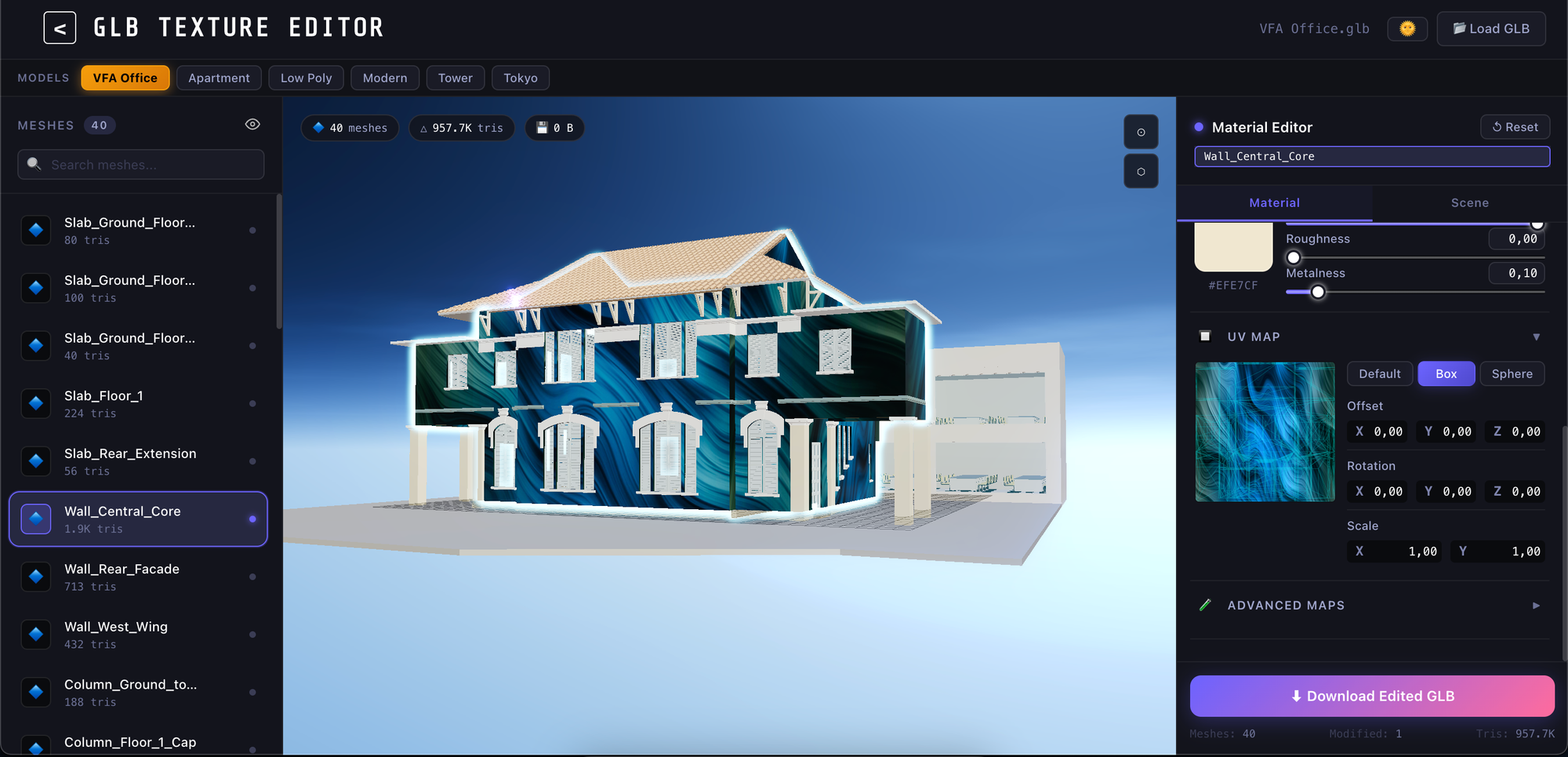
Because Position, Rotation, and Projection Mapping can be adjusted in real time, users can quickly test different visual patterns without returning to dedicated 3D production software.
This is particularly useful for:
- Comparing product designs
- Updating brand designs
- Evaluating material patterns
- Creating variations of 3D models
Fully Web-Based
There is no need to install resource-intensive graphics software.
The following operations can be performed entirely in a web browser:
- Uploading models
- Editing materials
- Previewing results
- Exporting updated data
Support for the Modern GLB Format
GLB is a 3D format based on the glTF standard. It can store geometry, textures, and materials in a single file.
This makes it easier to share and display models across different platforms.
Why Is an Online Texture-Editing Tool Necessary?
In real-world projects, changing the color or material of a model does not always require a complete 3D production workflow.
For example:
- A marketing team may want to test multiple product variations
- A customer may want to review different material options
- A designer may need to validate a new texture quickly
- A development team may want to improve collaboration
By providing essential editing features on the web, GLB Texture Editor helps bridge the gap between design teams and operational teams.
Use Cases
3D E-Commerce
Customers can customize product colors and materials before making a purchase.
Architecture and Interior Design
Different material patterns can be compared and evaluated for buildings and interior spaces.
Digital Twins
The appearance and status of objects in a digital environment can be updated quickly.
Game and XR Development
Materials and textures can be reviewed quickly before models are introduced into Unity, Unreal Engine, or XR platforms.
Toward a More Flexible 3D Workflow
As web-based 3D applications become more widespread, the need to manage and edit digital assets quickly and efficiently is also increasing.
GLB Texture Editor aims to make 3D model customization simpler and more intuitive, providing an environment that is accessible not only to developers but also to end users.
Try the demo and see how editing textures and materials directly in your browser can improve the efficiency of your 3D workflow.
Struggling to turn ideas into reality? With a proven track record of over 1,000 clients, our agile and flexible team will accelerate your business growth.
Book a Free ConsultationMore on "XR & 3D Web"
What Is 3D Tiles? A Complete Guide to Its Core Concepts, Latest Trends, and Use Cases
3D Tiles is an open standard for streaming massive 3D geospatial data. This guide explains HLOD, bounding volumes, tileset.json, differences between versions 1.0 and 1.1, use cases including PLATEAU and Google Photorealistic 3D Tiles, and independent LOD control in CesiumJS.
High-Performance Web BIM Viewer for Large IFC Models
This PoC converts large IFC models into optimized GLB files by BIM category for faster browser rendering. It demonstrates flexible layer controls, element data panels, smooth 3D navigation, and reduced z-fighting, while outlining a future automated IFC-to-GLB workflow.
Implementing Web-based Fluid Simulation: The Potential of WebGL and WebGPU
Explore how WebGL and WebGPU enable real-time fluid simulation directly in the browser, transforming XR, gaming, and digital twins.
