
High-Performance Web BIM Viewer for Large IFC Models
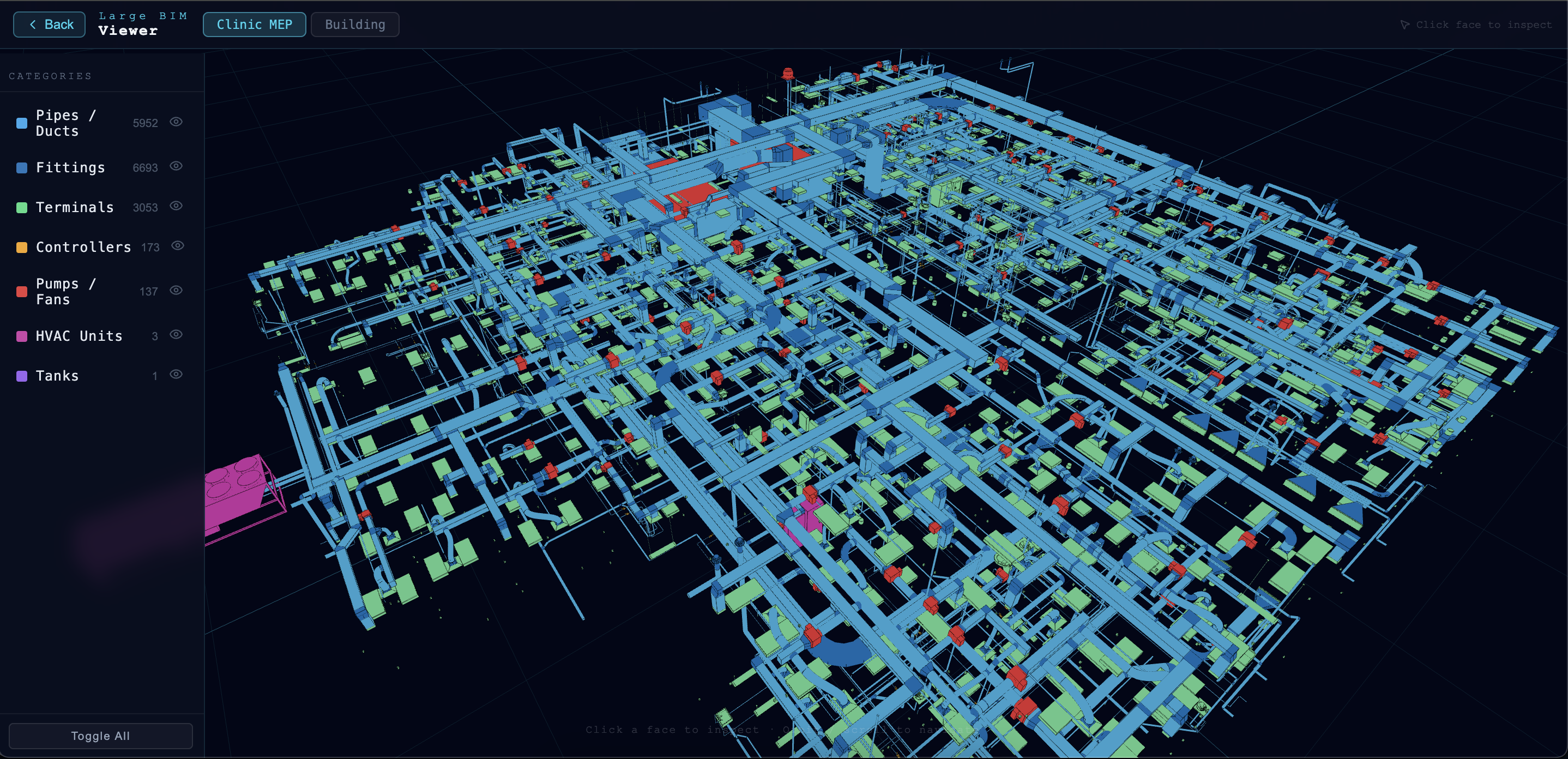
BIM (Building Information Modeling) projects are becoming increasingly complex and larger in scale. A modern IFC file can contain hundreds of thousands of elements, creating significant challenges when displayed on the web, including long loading times, poor performance, and visual issues such as z-fighting.
To address these challenges, we developed the hypothesis that, instead of loading a large IFC file directly, converting and splitting it into separate GLB files in advance would allow the model to be displayed more efficiently.
To test this hypothesis, we focused on developing a Proof of Concept for the visualization functionality, using IFC data that had already been converted into GLB format.
What Is This Demo For?
This demo allows users to view and interact with pre-converted GLB-based 3D models directly in a web browser. The platform is optimized to handle complex models without requiring specialized software to be installed.
This makes it easier for development teams, architects, engineers, and other stakeholders to share and collaborate on BIM models.
Demo: https://innovation-lab.vitalify.asia/en/gallery/large-bim-viewer
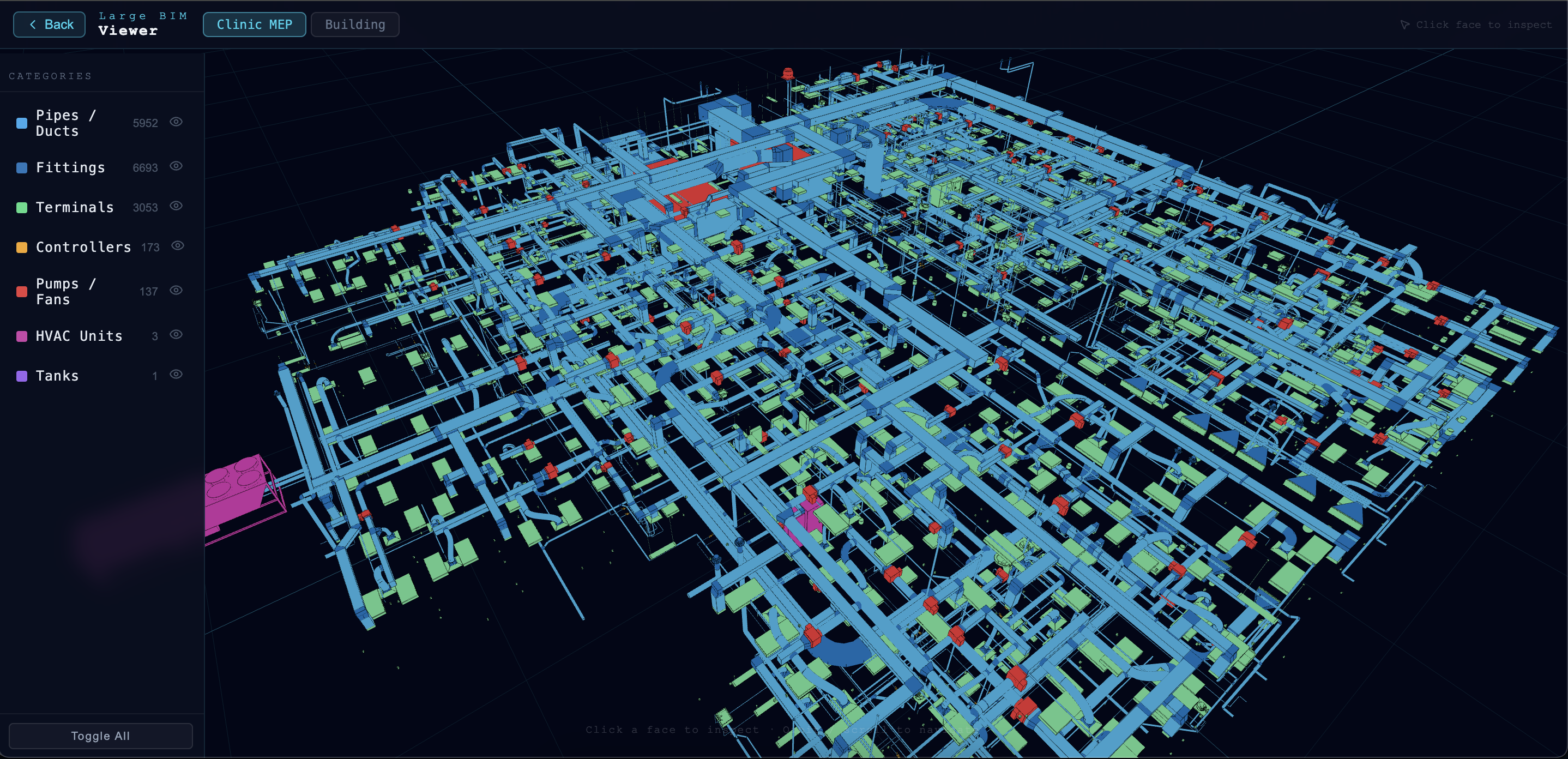
The Challenges of Displaying Large IFC Models
In many conventional BIM viewers, IFC files are either processed directly or converted into a single large 3D model before being displayed.
This approach often causes problems such as:
- Long initial loading times
- High browser memory consumption
- Reduced frame rates during interaction
- Difficulty managing groups of objects within the model
- Surface flickering caused by z-fighting
These problems become more noticeable in large-scale projects such as factories, hospitals, office buildings, and infrastructure facilities.
The Solution: Splitting IFC Data into Multiple GLB Files by Category
The main difference lies in the data-processing workflow.
Instead of converting the entire IFC model into a single file, the system divides the data into multiple smaller GLB files based on BIM categories.
Examples include:
- Walls
- Columns
- Beams
- Pipes
- Ducts
- Equipment
- Furniture
- Doors and windows
This approach provides several benefits:
- Significantly reduces the size of each asset
- Accelerates initial loading
- Reduces memory consumption
- Makes it easier to manage and display individual object groups
- Improves scalability for large projects
Users can begin interacting with the model sooner instead of waiting for the entire dataset to finish loading.
Significantly Faster Loading
By dividing the data into category-based GLB files, this demo can display the model more efficiently than a conventional single-model approach.
The assets are optimized before being added to the system, which helps:
- Reduce model initialization time
- Decrease the volume of data processed by the browser
- Improve rendering speed
- Provide a smoother user experience
This is particularly important for large BIM projects containing very high numbers of elements.
Flexible Layer Management
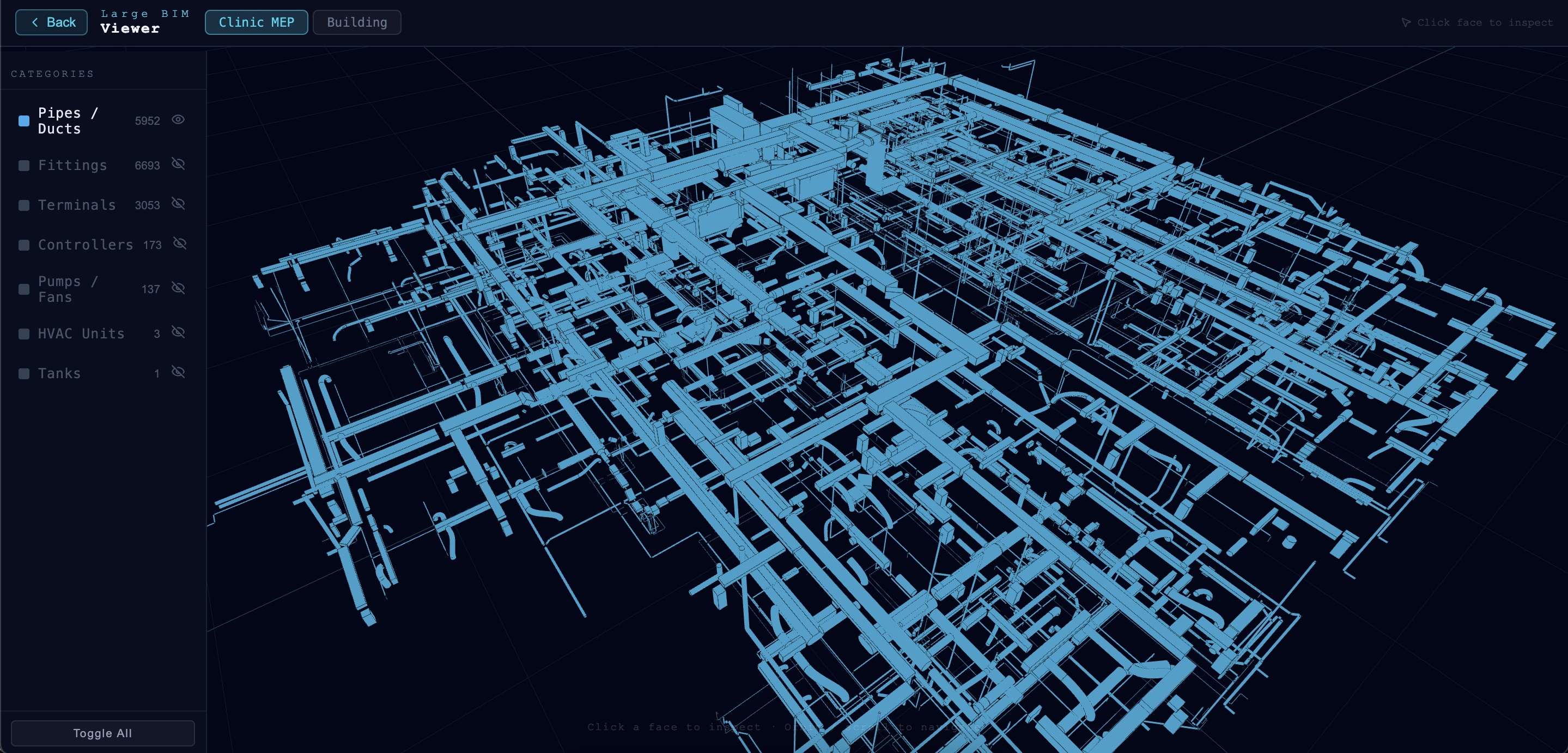
The demo provides an intuitive layer-management system that allows users to control which content is displayed.
Users can:
- Show or hide individual categories
- Focus on a particular building system
- Reduce the visual complexity of the model
- Improve the efficiency of inspections and analysis
For example, users can display only piping systems, structural components, or technical equipment when conducting a specialized inspection.
Information Panel: Instant Access to BIM Data
One of the most important values of BIM is its data.
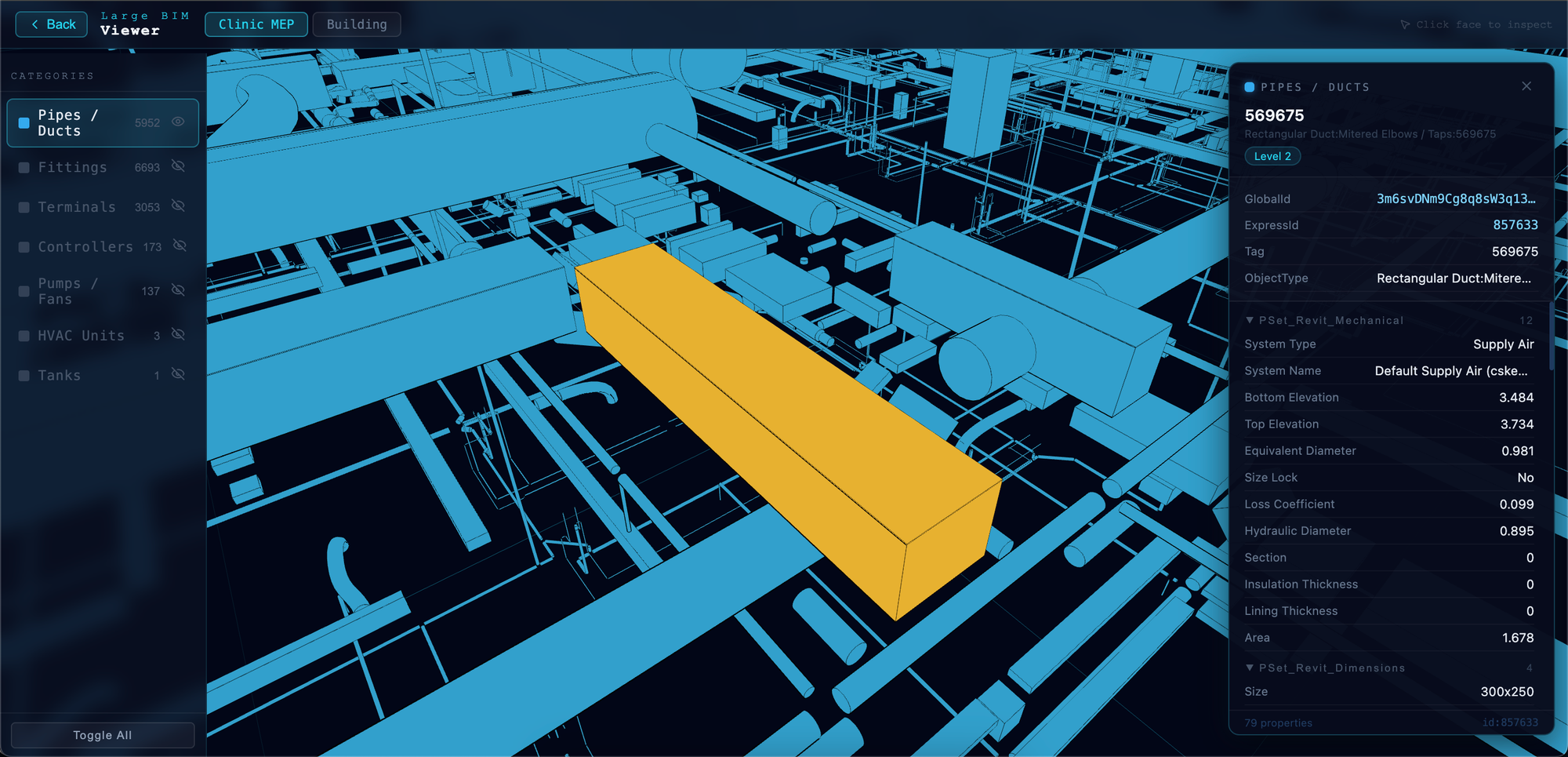
When a user selects an object in the model, the Information Panel displays information associated with that element.
The displayed information may include:
- Object name
- Object type
- IFC GUID
- Technical properties
- Metadata from the IFC file
- Other related BIM information
This enables users to access BIM data quickly without using specialized desktop software.
Smooth 3D Navigation
The viewer supports standard 3D navigation controls, including:
- Orbit
- Pan
- Zoom
Users can quickly move to the area they need to inspect without the lag commonly experienced when working with large models.
Runs Entirely in the Browser
The demo is designed to operate directly on the web.
Users only need to open a URL to begin working with the BIM model.
Benefits include:
- No software installation required
- Cross-platform support
- Easy sharing with clients and partners
- Rapid deployment within projects
This makes BIM data more accessible to every member of the project.
Why Use the GLB Format?
GLB is one of the most widely used 3D formats for web applications. It can package geometry, materials, textures, and related data into a single file, enabling efficient transfer and display in a browser.
Compared with conventional BIM workflows, GLB offers several benefits:
- Faster loading on the web
- Reduced data complexity
- Strong compatibility with modern browsers
- Optimized performance for displaying 3D models
Potential Applications
This demo can be used in a variety of situations, including:
- BIM model inspection and evaluation
- Design presentations for clients
- Coordination between project disciplines
- Facility management and operation
- Information sharing among stakeholders
- Development of Digital Twin solutions
Future Direction
As BIM becomes more widely adopted in the construction industry, web-based visualization tools will play an increasingly important role in making building data more accessible.
This demo represents a step toward a modern BIM visualization solution that is faster and easier to use, allowing large-scale 3D models to be used effectively within a web browser.
Try the demo to explore how modern web technologies can improve practical workflows involving BIM models.
Future End-to-End Product Workflow
In a complete future product version, we envision an automated workflow supported by dedicated backend infrastructure and data-management systems.
Step 1: Upload
The user uploads an IFC file through the web interface.
Step 2: Automated Conversion and Segmentation
A backend conversion system automatically processes the large IFC dataset, optimizes it, and separates it into multiple GLB files based on architectural categories.
Step 3: Data Storage
The converted and optimized GLB files are stored and managed in the browser’s IndexedDB.
This reduces loading times during subsequent visits. Because the data is stored locally on the user’s device rather than being uploaded to a server or cloud service, the approach can also reduce concerns related to sharing or storing data on third-party systems.
Step 4: Streamed Rendering
The web browser dynamically loads and displays only the required GLB categories from storage, enabling extremely fast initial loading.
Scope of the Current PoC: What Has Been Implemented?
This project is a Proof of Concept focused specifically on validating Step 4: streamed rendering and browser-side performance optimization.
This is the core logic with the greatest impact on the user experience.
To focus entirely on this core value, the current demo has been limited to the following scope.
Out of Scope: Not Yet Implemented
- A browser-based IFC file upload interface
- An automated IFC-to-GLB conversion workflow
- Dedicated backend and database systems
In Scope: Implemented and Validated
- The core mechanism for loading optimized GLB files separated by category in a web browser
- Very fast model display
- A significant reduction in z-fighting
- Flexible category-based model visualization
The demo environment provided in this article allows users to experience the performance improvements delivered by this core rendering mechanism.
Conclusion
This demo shows that modern web technologies can efficiently handle large-scale BIM models.
By combining:
- Conversion of IFC data into multiple category-based GLB files
- Optimized data-loading performance
- Reduced z-fighting
- Flexible layer management
- Intuitive BIM information display
- Smooth interaction and navigation
the system provides a fast, stable, and user-friendly experience for viewing and inspecting BIM models.
This approach provides an important foundation for future BIM viewers, Digital Twin applications, and next-generation facility-management solutions.
Struggling to turn ideas into reality? With a proven track record of over 1,000 clients, our agile and flexible team will accelerate your business growth.
Book a Free ConsultationMore on "XR & 3D Web"
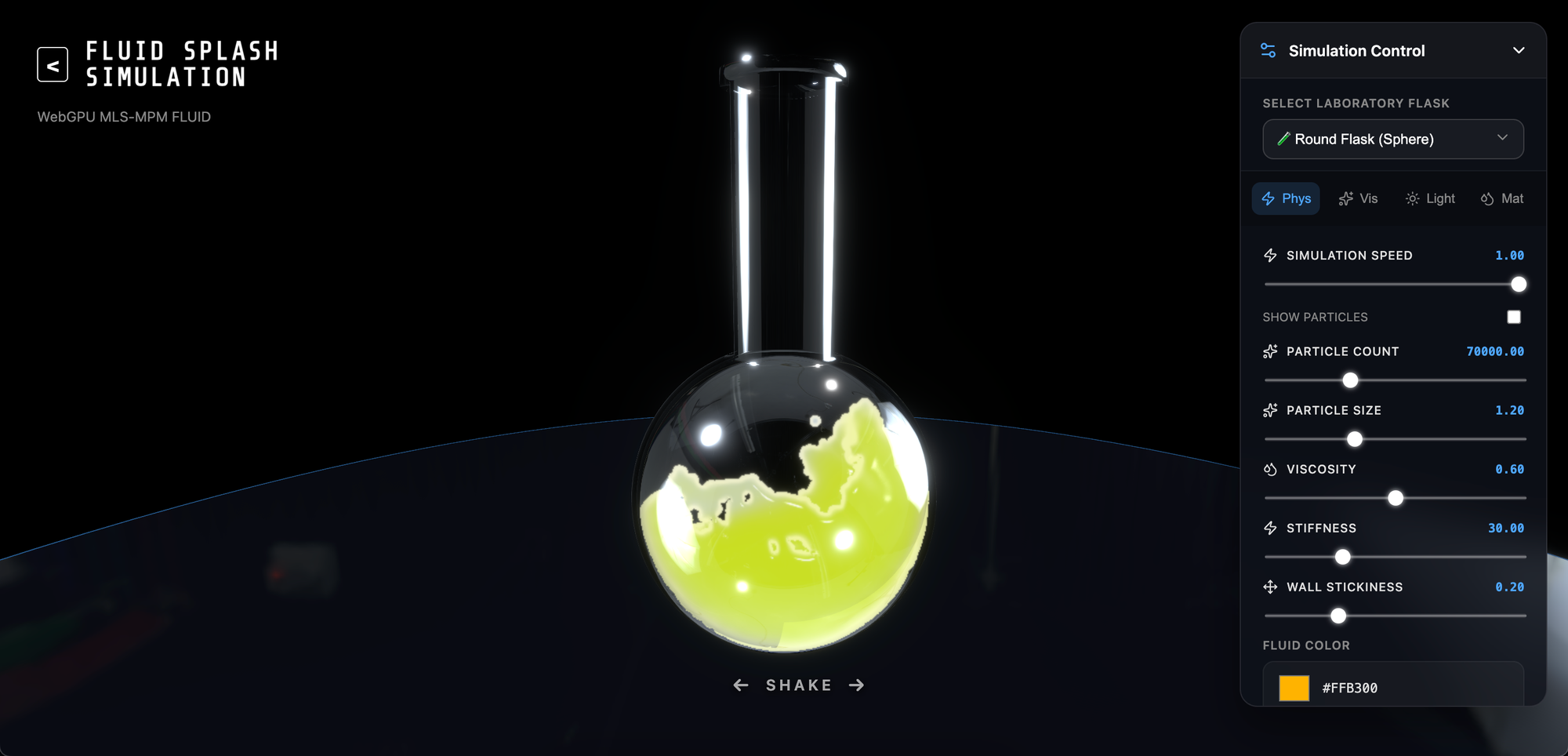
Implementing Web-based Fluid Simulation: The Potential of WebGL and WebGPU
Explore how WebGL and WebGPU enable real-time fluid simulation directly in the browser, transforming XR, gaming, and digital twins.

Virtual Office: Integrating WebXR for Immersive Meetings
Discover the exciting features of our 3D platform’s meeting room and character customization utilizing WebXR.

Virtual Office Update: Rooms & Character Customization
Explore the latest Virtual Office updates, including private meeting rooms and 3D character customization.
