
Turning Google Colab into an API Server to Run Speech-to-Speech Voice AI

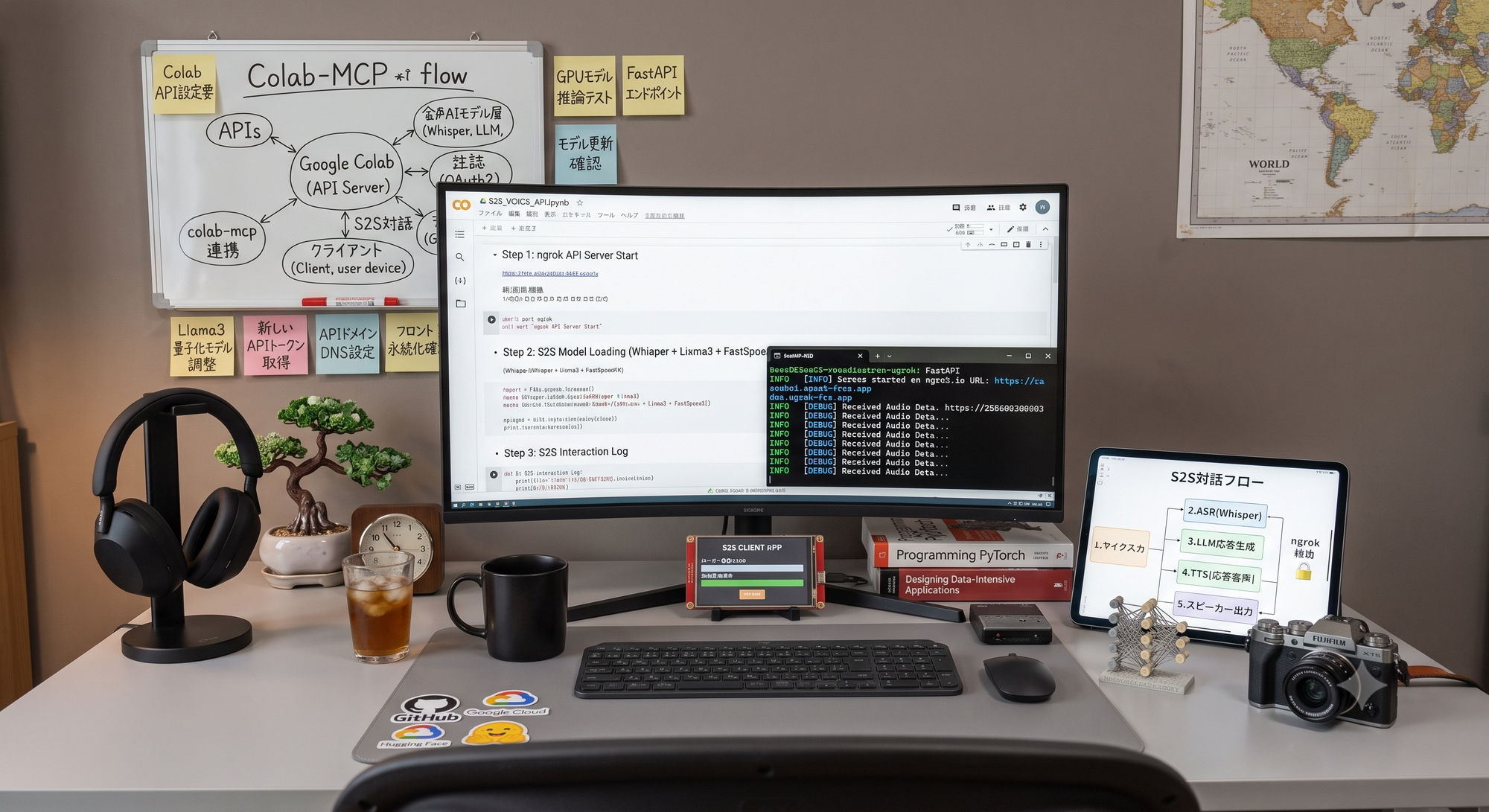
“I want to test speech-to-speech voice AI, but renting a dedicated GPU server just for validation feels excessive.”
Many people probably feel the same way. During the validation phase, we only want to use a GPU when it is actually needed.
Google Colab naturally comes to mind. However, Colab is not originally designed to function as a server that can be accessed externally.
Colab is an environment for executing notebook cells. It is not intended for use as a server that accepts WebSocket connections and exchanges audio in real time.
At first, I assumed that even if it were technically possible, it would probably be too unstable to be useful.
However, when I actually tried it, it worked much more normally than expected.
In this article, I introduce the S2S voice interaction environment that we built using Google Colab and free-tier accounts, as well as the latency improvements we implemented to make the conversation flow more naturally.
The focus is not on presenting this as the only correct architecture, but on sharing what we tried and what worked well in our experiment.
1. Opening Google Colab to External Access with ngrok
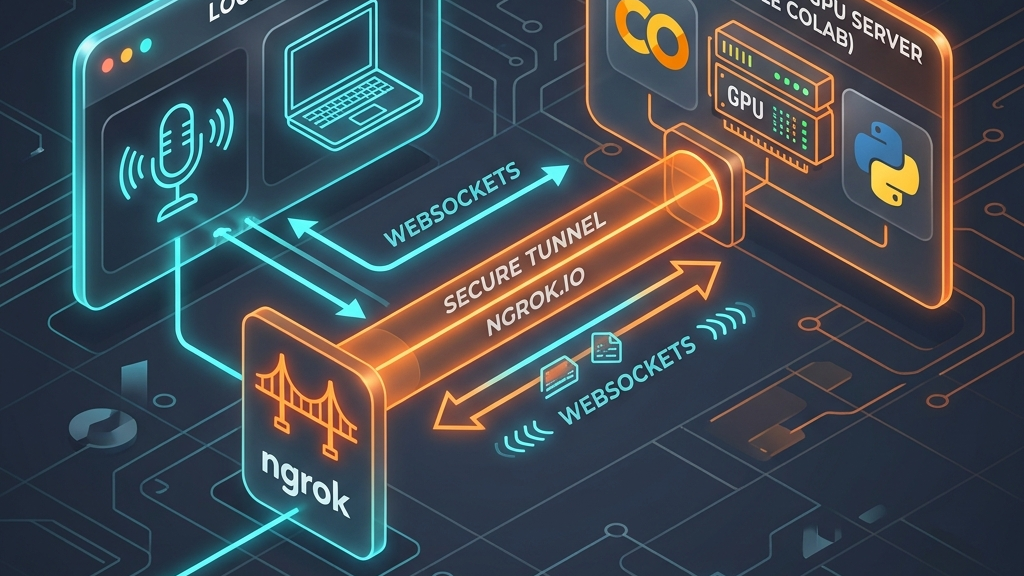
What we did was relatively simple.
We started a server process from a Colab cell, used the tunneling service ngrok to issue a temporary public URL, and connected to that URL from a local PC.
This alone provides a temporary URL that can be accessed externally.
However, after repeating the validation process several times, one task became slightly inconvenient:
- Check the newly issued ngrok URL.
- Copy it.
- Update the argument in the local client script.
- Run the client again.
To reduce this repetitive work, we added a small convenience feature.
When the Colab cell starts the server, it generates and displays a complete command that can be copied and pasted directly into the terminal on the local PC.
After running the cell, a log similar to the following appears:
🚀 S2S v2 Server (WebSocket) Ready!
URL: https://xxxx-xx-xx-xxx-xx.ngrok-free.app
📋 Client Command (Run this locally):
uv run client_s2s.py --url wss://xxxx-xx-xx-xxx-xx.ngrok-free.app
The user simply copies the displayed command, pastes it into a local terminal, and runs it.
The environment is then immediately ready for a conversation with the AI.
This eliminates the need to manually replace the URL every time and makes repeated validation relatively smooth, even when using free Google Colab and ngrok accounts.
The system architecture looks like this:
[Local PC: Client]                         [Google Colab: T4 GPU Server]

      Microphone input                          faster-whisper (STT)
             │                                          │
             ▼                                          │
 Detect speech segments with Silero VAD                 │
             │                                          │
 Send audio through WebSocket ───── ngrok ─────► Gemini 2.5 Flash-Lite
             ▲                                   (LLM, streaming)
             │                                          │
 Receive and play generated audio                       ▼
             │                                  VOICEVOX Engine (TTS)
       Speaker output
The responsibilities are clearly separated between the GPU environment and the local PC.
The computationally intensive speech recognition and speech synthesis processes are handled by the T4 GPU on Colab.
The local PC is responsible only for handling the microphone and speakers.
2. Server Setup and Model Selection
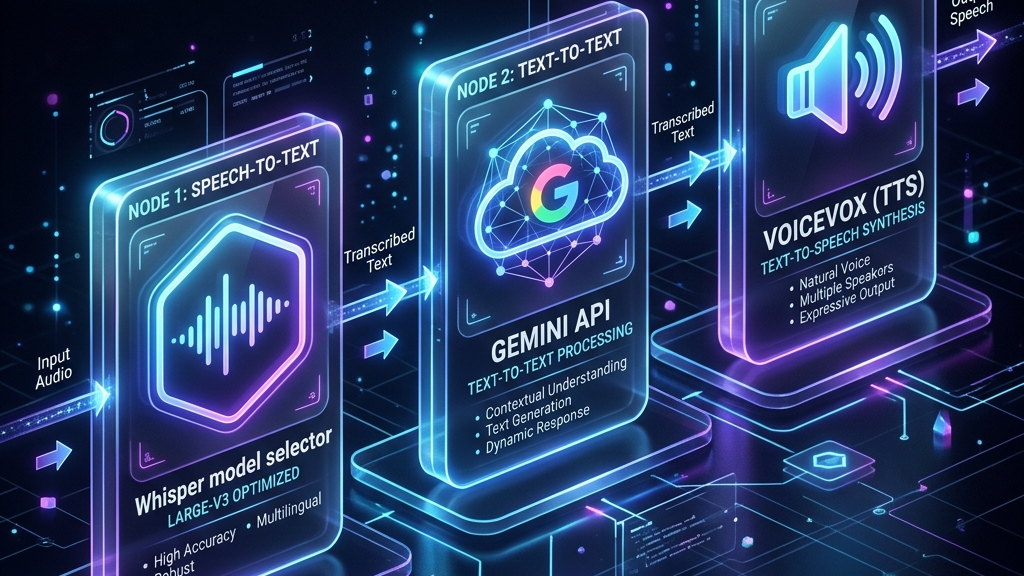
The Colab environment is prepared by running Python cells that install the required libraries and load the necessary AI models.
The first setup takes several minutes. Once the environment is running, however, the same session can be reused no matter how many times the user speaks.
If the connection is interrupted or the environment stops working, the relevant cell can simply be executed again.
The GPU version of VOICEVOX Engine is also started as a background process on Colab.
Choosing the Speech Recognition Model
Selecting the speech recognition model required more experimentation than expected.
Initially, we assumed that a lighter medium-sized model would be sufficient.
We thought:
“This is only Japanese transcription. We probably do not need the highest possible accuracy.”
That assumption was too optimistic.
When tested with actual Japanese speech, both the medium model and the lighter distil-whisper-large-v3 model frequently produced inaccurate transcriptions and did not reach the quality required for our use case.
In the end, large-v3 was the only model that produced sufficient accuracy in our tests.
Instead of gaining speed by selecting a smaller model, we kept the largest and most accurate model and increased processing speed through quantization using int8_float16.
The final strategy was therefore:
Do not make the model smaller to improve speed. Use the most accurate large model and accelerate it through quantization.
We needed to speak into and compare several models before reaching this combination.
Choosing the LLM
There was less uncertainty when selecting the LLM used to generate responses.
Running a local LLM on the same GPU would significantly increase the load on the Colab environment and slow down the overall system.
We therefore selected Gemini 2.5 Flash-Lite, which provides fast responses through an API.
Structured JSON output and Function Calling also worked reliably during our validation.
By deciding not to use the Colab GPU for the LLM, we were able to limit the GPU workload to two processes:
- Speech recognition
- Speech synthesis
3. Reducing the Pause: Sentence Buffering and Parallel Speech Synthesis

Once the overall architecture was working, the first major issue was the pause before the AI responded.
If the system waits until the LLM has finished generating the entire response before starting speech synthesis, the silent period becomes longer as the response becomes longer.
In a conversation between people, this delay would be long enough to make the interaction feel unnatural.
To address this problem, we buffered Gemini’s streaming output by sentence boundaries, such as punctuation marks and line breaks.
As soon as one sentence was confirmed, it was immediately passed to VOICEVOX.
We also implemented an asynchronous TTS manager that runs VOICEVOX speech-synthesis tasks concurrently in a background thread pool.
This enabled the following parallel process:
While the LLM is generating the later part of the response, VOICEVOX synthesizes the first completed sentence in the background. As soon as that audio is ready, it is streamed to the client.
The effect was immediately noticeable without even examining the logs.
The rhythm of the conversation improved significantly.
4. Preventing Download Errors for VOICEVOX

At the time of this experiment, the GPU version of VOICEVOX Engine was distributed on GitHub as five split files.
Initially, we wrote a simple process that downloaded the files sequentially from the first file to the fifth.
However, when Colab’s network connection became unstable, the extraction process sometimes started even though one of the split files had not been downloaded successfully.
The process would then stop with an error.
When the missing file was located in the middle of the sequence, identifying the cause required additional time.
We therefore added a more robust download process that:
- Downloads the five files in parallel
- Automatically retries failed downloads
- Checks whether any numbered file is missing
- Starts extraction only after confirming that all required files are present
During the experiment, we re-executed the Colab cells dozens of times.
Adding resilience against occasional external download failures at an early stage turned out to be the right decision.
5. The Local PC Only Handles the Microphone and Speakers
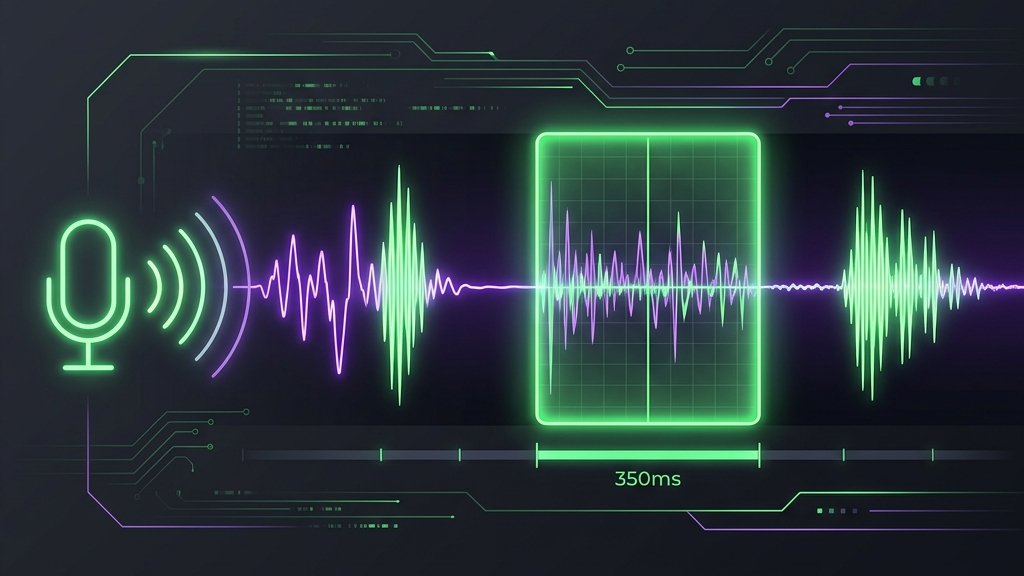
On the client side, we used the Python package-management tool uv so that the client could be started with a single command and almost no advance preparation.
The client mainly performs three tasks.
Detecting When the User Starts and Stops Speaking
The client uses the Silero VAD library to detect with high accuracy:
- The moment the user starts speaking
- The moment the user stops speaking and silence begins
Sending Audio to the Colab Server
The captured audio data is sent to the Colab server through a WebSocket connection.
Receiving and Playing Audio
The client receives audio binary data sequentially from the server and plays each segment in the correct order.
Adjusting VAD Parameters in the Actual Usage Environment
Parameters such as the VAD threshold and the amount of silence required to determine that the user has finished speaking could not be decided purely through theoretical design.
For a use case in which users speak quickly and frequently provide short acknowledgements, we may want the silence threshold to be shorter.
For a use case in which users speak slowly while thinking, we may need a longer silence threshold.
We repeatedly spoke to the system and evaluated situations in which:
- The AI interrupted too early
- The AI waited too long
- Short pauses were incorrectly treated as the end of an utterance
- The response began at a natural time
For this experiment, we reached a silence duration of 350 milliseconds as the best balance.
The most reliable method was simply to speak to the system repeatedly and adjust the value based on the actual experience.
6. What Actually Determined the Perceived Response Speed?
After combining all of these components, we found that the speed of the LLM itself was not the main factor determining the rhythm of the conversation.
The most important interval was:
The time between the end of the user’s speech and the playback of the first generated sound.
In other words, the key metric was the initial response latency.
We measured the time from the end of the user’s utterance until the first audio data arrived.
While reviewing those logs, we adjusted:
- Where the LLM-generated text should be divided
- When each sentence should be sent to speech synthesis
- How many speech-synthesis tasks should run in parallel
- How long the VAD should wait before determining the end of speech
- When the client should begin playback
Most of the practical PoC work was concentrated in optimizing this interval.
Simply looking at the catalog specifications of each model does not reveal how much this end-to-end interval can be reduced.
The actual experience can only be understood by connecting all the components, measuring the complete pipeline, and repeatedly testing it through real conversation.
7. Conclusion
Although Google Colab is a notebook environment, it can be turned into a temporary API and WebSocket server through ngrok, allowing an entire S2S validation environment to be built without first renting a dedicated GPU server.
For speech recognition, we prioritized accuracy and selected large-v3, then used quantization to improve processing speed.
By receiving the LLM response as a stream and sending completed sentences to speech synthesis immediately, we were able to significantly reduce the pause before the AI began speaking.
Because the appropriate VAD threshold depends on the actual usage scenario, it needs to be adjusted through repeated real-world speaking tests.
We did not expect a free Colab and ngrok-based environment to work this well.
The next topic we would like to test is how many simultaneous connections this architecture can support.
We plan to discuss that experiment on another occasion.
Our company supports projects ranging from initial PoC development to full commercial product development.
Please contact us even if your project is still at the stage of “We would first like to validate whether this idea works.”
Struggling to turn ideas into reality? With a proven track record of over 1,000 clients, our agile and flexible team will accelerate your business growth.
Book a Free ConsultationMore on "Generative AI & ML"
AI Voice Production: 5 Best Practices
AI voice content uses two AI stages: script generation and text-to-speech. This guide explains how to test predefined voices, turn subjective feedback into requirements, manage versions, prioritize trade-offs, run group listening sessions and use post-processing to stabilize quality.

What We Learned Building Voice AI with Gemini: The Major Difference Between a PoC and a Commercial Service
A Gemini Live API PoC can deliver real-time voice conversations quickly, but production introduces concurrency, quotas, observability, model lifecycle and device-specific audio issues. This article explains why the architecture moved from direct browser access to LiveKit and Vertex AI.

A Concept for Developing AI Through Artificial Languages
Can AI learn logic more efficiently through an artificial language than through natural language? This article compares Esperanto, Lojban, and Ithkuil, then presents a custom GPT-2 model trained from scratch on Lojban-based data that achieved 100% accuracy on prepared three-valued logic tests.
