
What We Learned Building Voice AI with Gemini: The Major Difference Between a PoC and a Commercial Service


Using Gemini’s real-time API, developers can implement Speech-to-Speech, or S2S, functionality in a relatively short period of time. Users speak to the AI, and the AI responds directly with generated speech.
The basic flow is straightforward:
- Capture microphone audio in the browser.
- Send the audio to Gemini.
- Play Gemini’s returned audio in the browser.
In practice, creating a PoC in which users can hold real-time conversations with AI was not particularly difficult.
However, when we attempted to provide the feature as a commercial service that real users could use continuously, a series of issues emerged that had not been visible during the PoC.
Examples included:
- Audio became unstable when multiple people used the service at the same time.
- Rate-limit errors occurred even when the reported usage appeared to have sufficient capacity.
- Audio was delayed only on certain devices.
- The audio playback speed suddenly became extremely slow.
- It was difficult to use the latest model while maintaining a stable production platform.
- When an incident occurred, we could not investigate the cause in sufficient detail.
- Problems that depended on the browser or audio device were difficult to reproduce.
In voice AI, there is a major difference between making a conversation work and providing that conversation reliably as a service.
This article describes the challenges we encountered while developing a Gemini-based voice AI service and the lessons we learned from addressing them.
It is particularly intended for people responsible for new business development or PoCs who are preparing to move from validation into commercial development.
This article is based on our development experience and validation results at the time of writing. Available models, APIs, authentication methods, and other specifications may change. Always check the latest official information before implementation.
We Began by Validating the User Experience and Service Value
The feature we developed allowed users to have real-time voice conversations with AI.
We used Next.js for the frontend and hosted it on Vercel.
During the PoC phase, our main priorities were to determine:
- Whether users found voice conversations with AI natural
- Whether voice-based guidance and support helped solve actual problems
- Whether the overall service, including its surrounding features, delivered value
- Whether users could apply it in the intended tasks and situations
- What type of conversation design would prevent users from becoming confused
In other words, during the PoC, we prioritized validating the user experience and business hypothesis rather than the architecture itself.
Our initial architecture was relatively simple: the browser connected directly to the Gemini Live API.
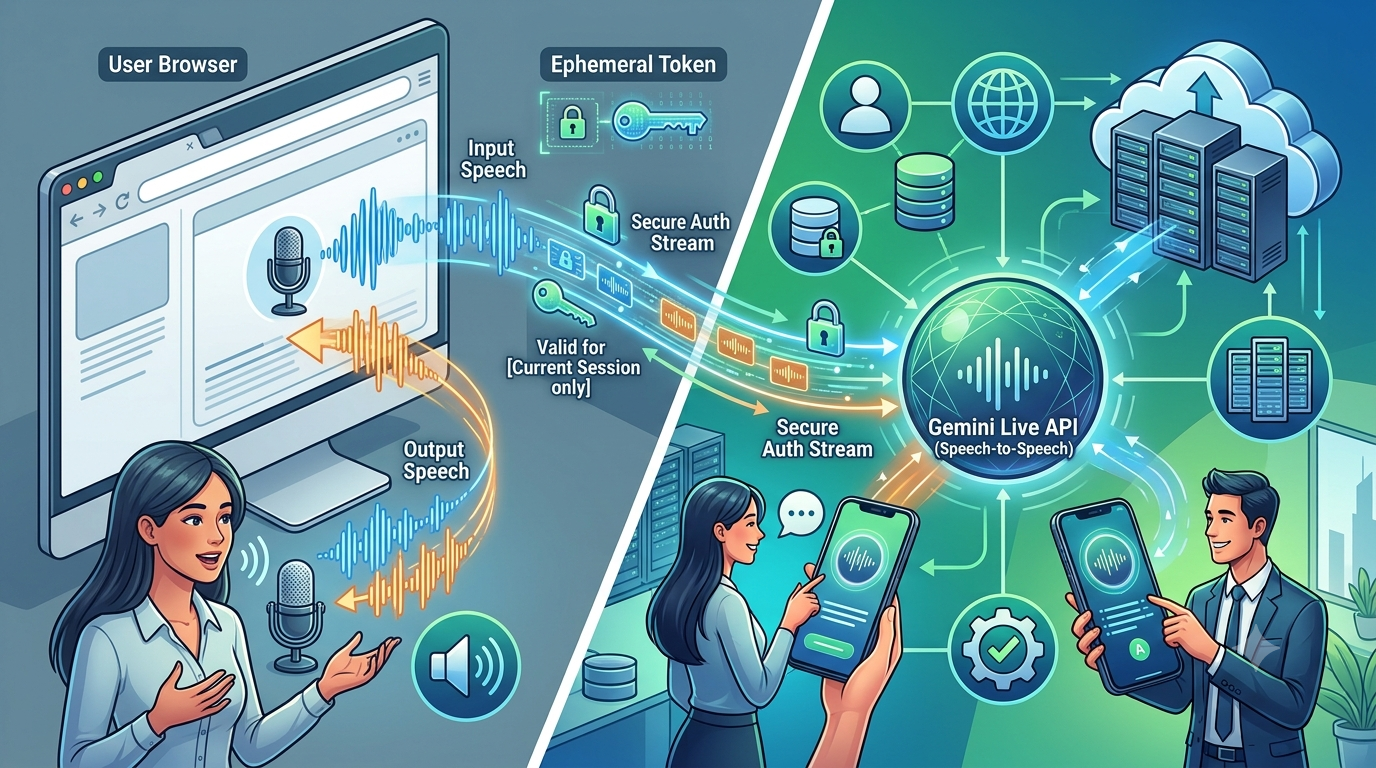
With this architecture, our own server did not need to relay the audio data, allowing us to create a voice interaction experience in a short period of time.
The Gemini API may also provide early access to new Live models or models that are still in preview.
In voice AI, differences between models directly affect the user experience in areas such as:
- Response speed
- Naturalness of the conversation
- Voice quality
- The AI’s ability to stop when the user begins speaking
- Context retention
- Pauses and conversational rhythm
Considering the objectives of the PoC, being able to use a new model and quickly evaluate the potential of the service was a major advantage.
However, during the PoC phase, we had not fully validated the communications infrastructure, monitoring, concurrent connections, and incident response required for commercial use.
As a result, an architecture that appeared to work without problems during the PoC began to reveal various issues under conditions closer to production.
“It Works” in a PoC Is Different from “Users Can Keep Using It” in Production
A PoC generally validates functionality with a limited number of users and environments.
If internal team members perform a short demonstration using specified devices and browsers, the validation can continue through reconnection or restarting even when occasional disconnections or delays occur.
The situation is different for a commercial service.
It is impossible to standardize every user’s:
- Device
- Browser
- Network
- Microphone
- Speaker
Sessions may last longer than a few minutes, and multiple users may continue using the service during the same period.
When a problem occurs, it is not enough to simply reconnect. The cause must be investigated, and measures may need to be implemented to prevent recurrence.
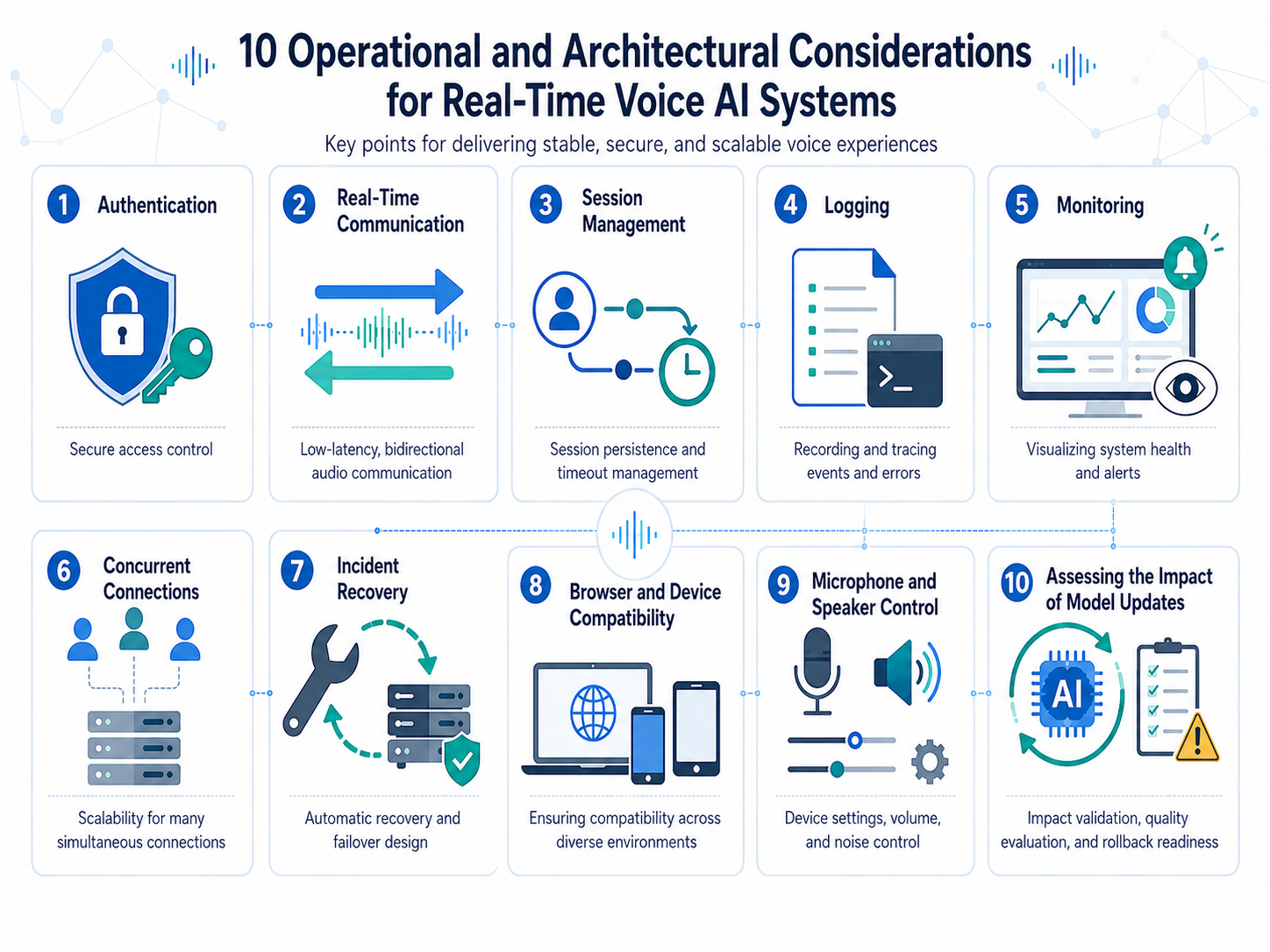
Commercializing voice AI requires at least the following requirements to be considered together:
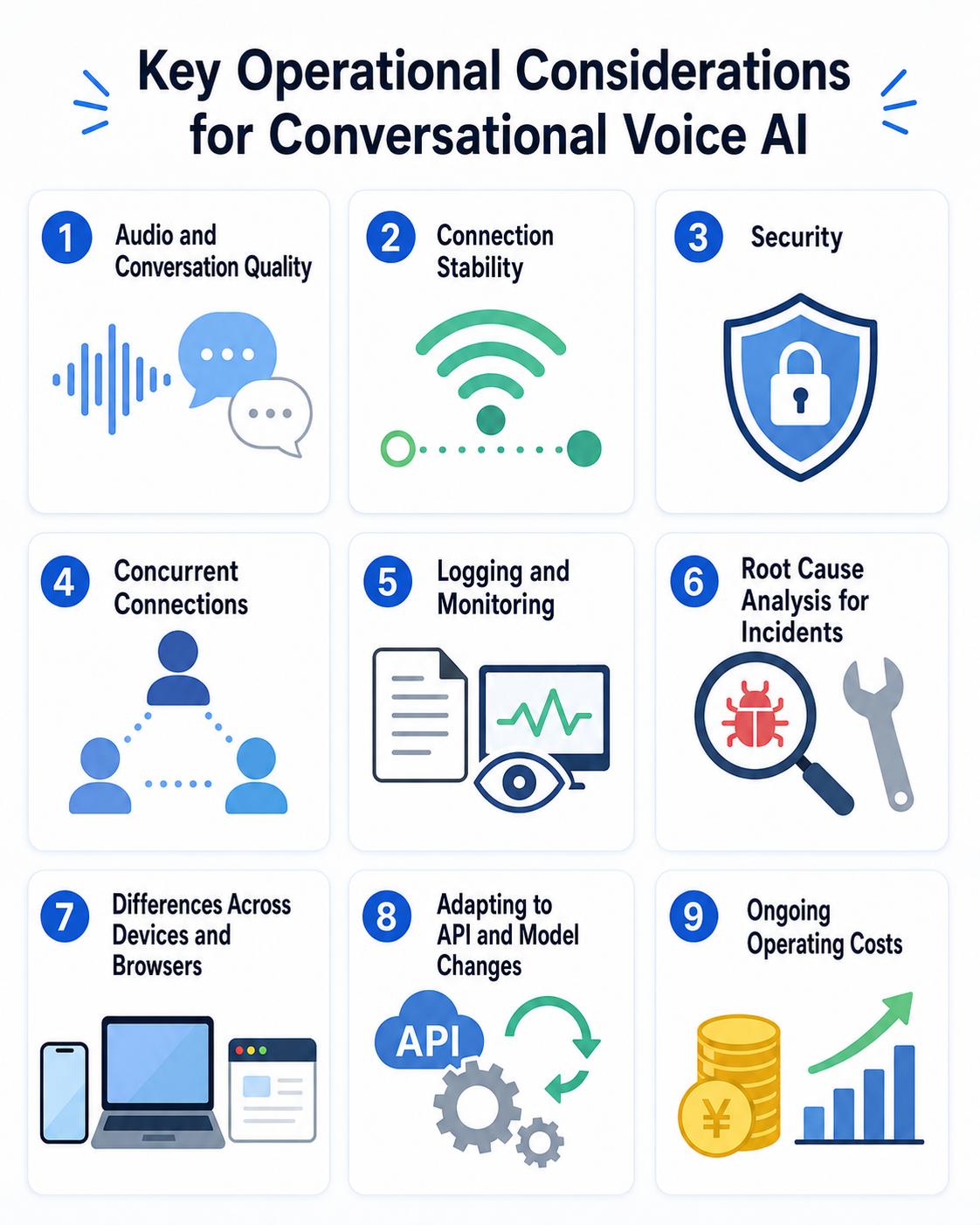
The PoC asked:
Does this experience provide value?
Commercialization asks:
Can we continue delivering that value reliably across a variety of environments?
This was the major difference between the PoC and production development.
Challenge 1: Concurrent Use Became Unstable with the Gemini API
With an architecture in which the browser connected directly to the Gemini API, conversations worked relatively smoothly during small-scale testing.
However, when we tested multiple users at the same time, we encountered problems such as:
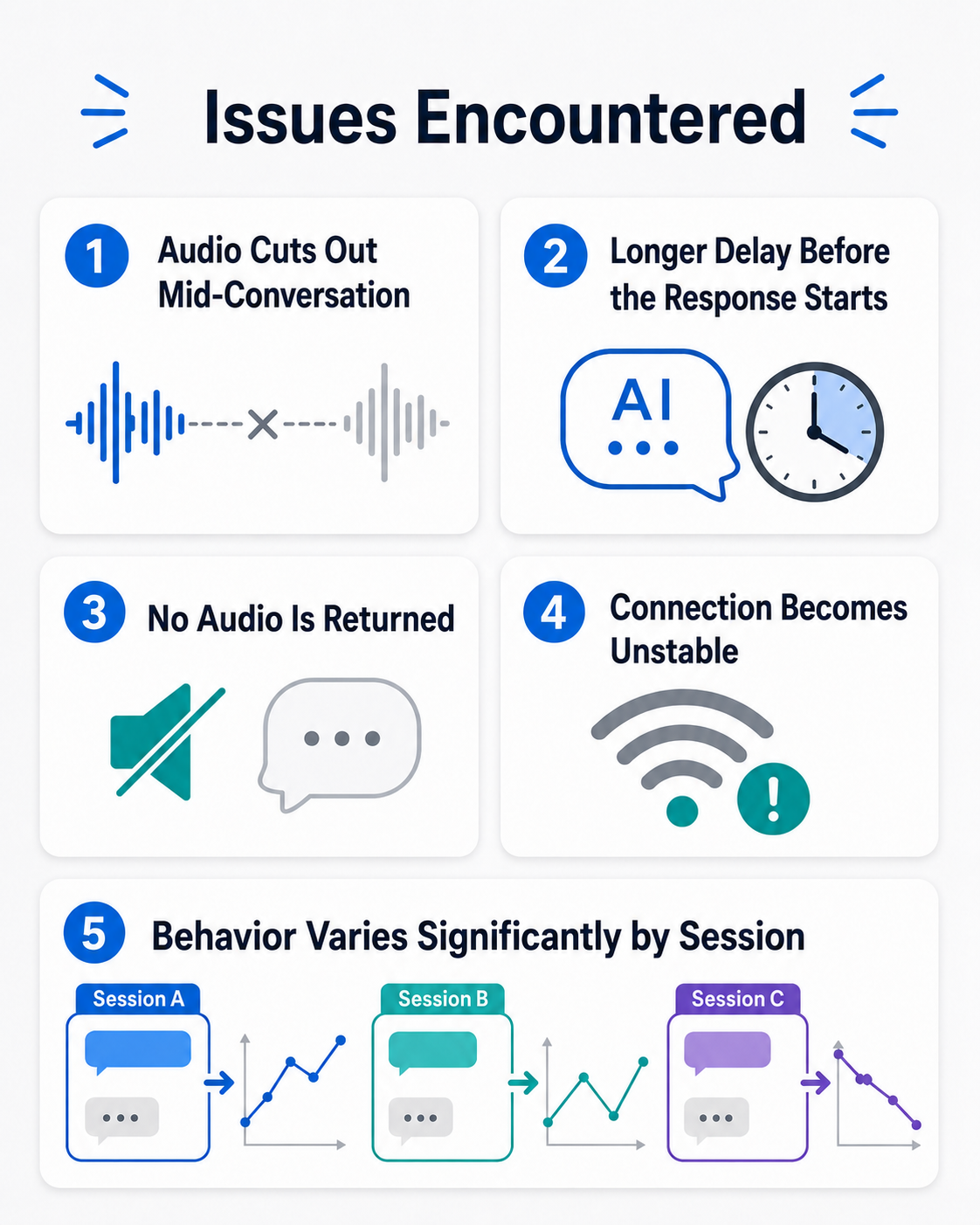
These problems occurred even under conditions where the visible usage and expected rate limits appeared to remain below the documented limits.
In some cases, rate-limit or quota-related errors were returned even though the system appeared to have sufficient remaining capacity.
On the Google AI Developers Forum, developers have also reported difficulty understanding limits for multiple sessions and cases in which 429 errors occurred despite apparently low usage.
However, forum posts are reports from individual developers. They do not mean that Google has officially confirmed the cause of each event.
These issues were difficult because it was not easy to determine whether the cause was:
- The application implementation
- The client network
- The number of concurrent sessions
- A project-level or API-key-level limit
- The region or temporary service load
- Model-specific behavior
- Internal controls separate from documented quotas
Even when an error was returned, it was difficult for the user of the API to determine conclusively whether it represented an actual configured rate limit, a temporary shortage of resources, or another issue reported as a rate-limit error.
Challenge 2: The Previous Model Appeared to Become Less Stable Around a Model Transition
During validation, there were periods when the response behavior of the model we had been using appeared to become less stable around the release of a new model.
In our environment, approximately one week before a new 3.1-series model was released, we observed the following changes in the 2.5-series model we had been using:
- Longer delays before the response began
- More cases in which no audio was returned
- Audio stopping partway through
- Greater differences in quality between sessions
- Increased instability when multiple people used the service
We observed similar changes during the transition from 2.0 to 2.5.
However, we could not confirm a causal relationship between preparations for the new model and the deterioration in the behavior of the previous model.
These were only events that happened to overlap in time in our validation environment.
Developers on the Google AI Developers Forum have also reported increased Live API latency, interrupted Native Audio, and perceived quality changes before or after model updates.
These reports are also observations from individual users and cannot be assumed to share the same cause.
When operating a service as a business, model performance is not the only important factor. Other questions include:
- Can the same model be used reliably for a defined period?
- How will its behavior change when the model is updated?
- Can the service return to a previous version if a problem occurs?
- Can old and new models be compared in parallel?
- Can the impact of a model change be tested before release?
In voice AI, even a small change in delay or speaking rhythm can significantly affect the user experience.
For that reason, the impact of model updates must be evaluated more carefully than with ordinary text generation.
Challenge 3: Direct Browser Connections Made Root-Cause Investigation Difficult
With an architecture in which the browser connected directly to the Gemini API, the audio data did not pass through our own backend.
This simplified the system, but it also created a weakness in incident investigation.
Consider the following possible issues:
- The connection is interrupted during a conversation.
- The AI takes a long time to begin responding.
- Connections become difficult only during certain periods.
- The service becomes unstable when multiple people use it.
- Audio is delayed for only one user.
- A rate-limit error is returned.
Browser logs can show that the connection was interrupted or that a particular error was received.
However, because there was no server under our control in the communication path, it was difficult to investigate the cause in detail.
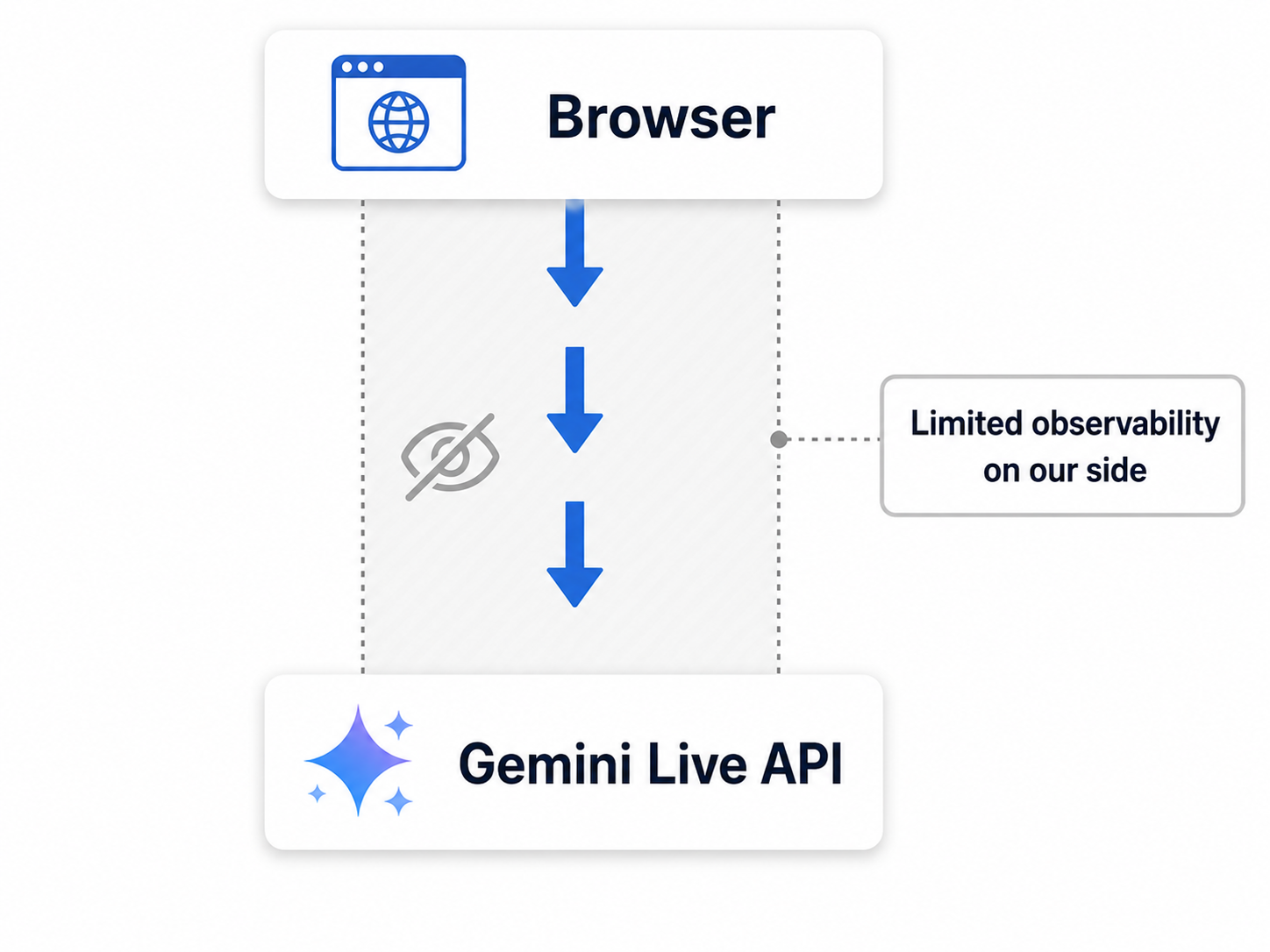
Potential causes included:
- The user’s network
- Internal browser processing
- The WebSocket connection
- Disconnection initiated by the API
- Load on the model or service
- The region or network route
- Concurrent usage or quotas
- The timing of audio-data transmission
During a PoC, it may be acceptable to ask the user to try again.
For a service used by actual customers, however, the inability to investigate the cause is itself a business risk.
Challenge 4: There Was a Trade-Off Between the Latest Models and a Stable Operational Platform
When considering production authentication, usage management, and monitoring, Vertex AI is a strong option.
Vertex AI can be integrated with Google Cloud IAM and quota management and enables secure API use from a backend.
However, at the time of our validation, there were cases in which a newer Live model available through the Gemini API was not yet available through Vertex AI.
| Architecture | Advantages | Challenges |
|---|---|---|
| Gemini API | New models may become available quickly | Designing operational monitoring and incident investigation can be difficult |
| Vertex AI | Authentication, usage management, production controls, and eligible SLA coverage | The timing of new model availability may differ |
Prioritizing the latest model can make it easier to improve voice quality and the conversational experience.
On the other hand, moving to Vertex AI to prioritize stable operations and security may mean that the model used in the PoC cannot be used without modification.
The important point is that a commercial service architecture cannot be selected by comparing only model performance.
The decision must include:
- Model quality
- Delivery method
- Authentication
- Operations
- Logs
- Incident response
Challenge 5: Moving to Vertex AI Also Required Rebuilding the Communications Architecture
With the Gemini API, a browser can connect directly to the Live API by using a short-lived Ephemeral Token.
This makes it possible to create a simple communication path without placing a long-lived API key in the browser.
Vertex AI generally uses Google Cloud IAM, service accounts, or other Google Cloud authentication methods.
Because service-account credentials must not be placed in a browser, a production architecture commonly routes communication through a backend under the company’s control.
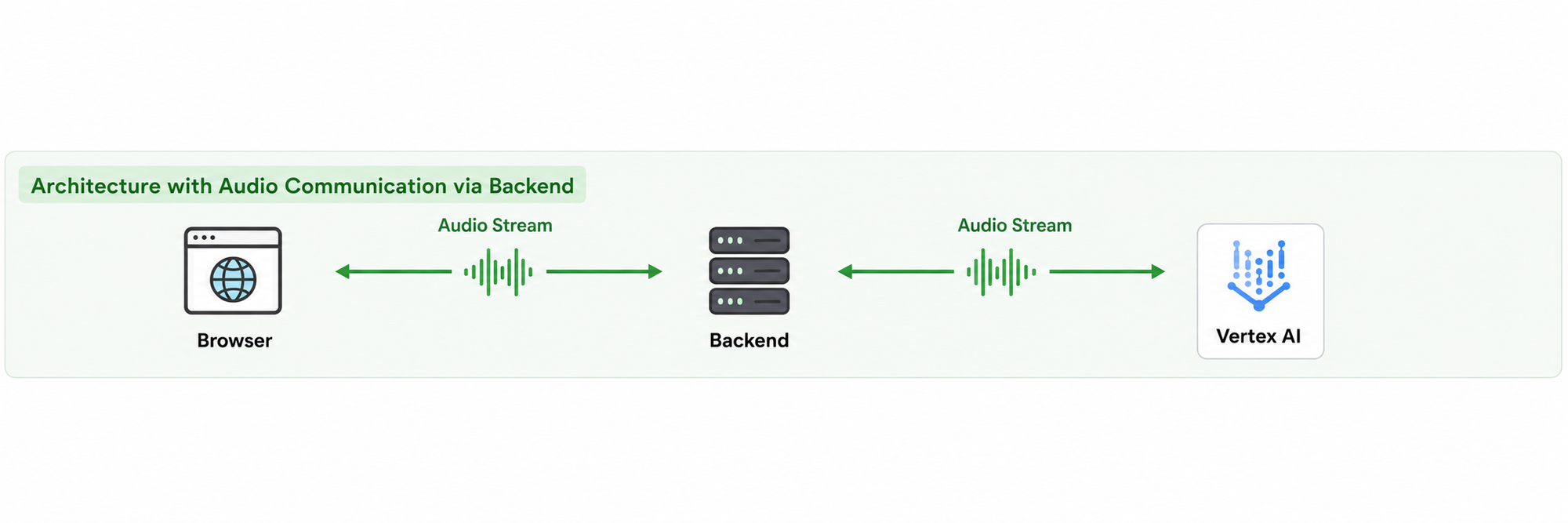
For an ordinary chat feature, the browser can send a request to the backend, and the backend can return the AI response.
Voice interaction, however, requires bidirectional transmission of audio in real time.
This requires more than a conventional Web API. A real-time service capable of maintaining a long-running audio connection is needed.
Therefore, moving from the Gemini API to Vertex AI was not simply a matter of changing the destination endpoint.
The original architecture was:
Gemini API
+ Ephemeral Token
+ Direct browser connection
The new architecture required:
Vertex AI
+ Company backend
+ Real-time communications infrastructure
+ Session management
+ Logs and monitoring
Challenge 6: We Needed a Real-Time Communications Server in Addition to Vercel
The frontend was developed with Next.js and hosted on Vercel.
For ordinary websites and web applications, Next.js and Vercel are a highly convenient combination.
However, our use case required bidirectional audio connections maintained for an extended period for each user.
The frontend architecture alone was therefore not sufficient, and we needed a separate server capable of maintaining WebSocket or equivalent real-time connections.
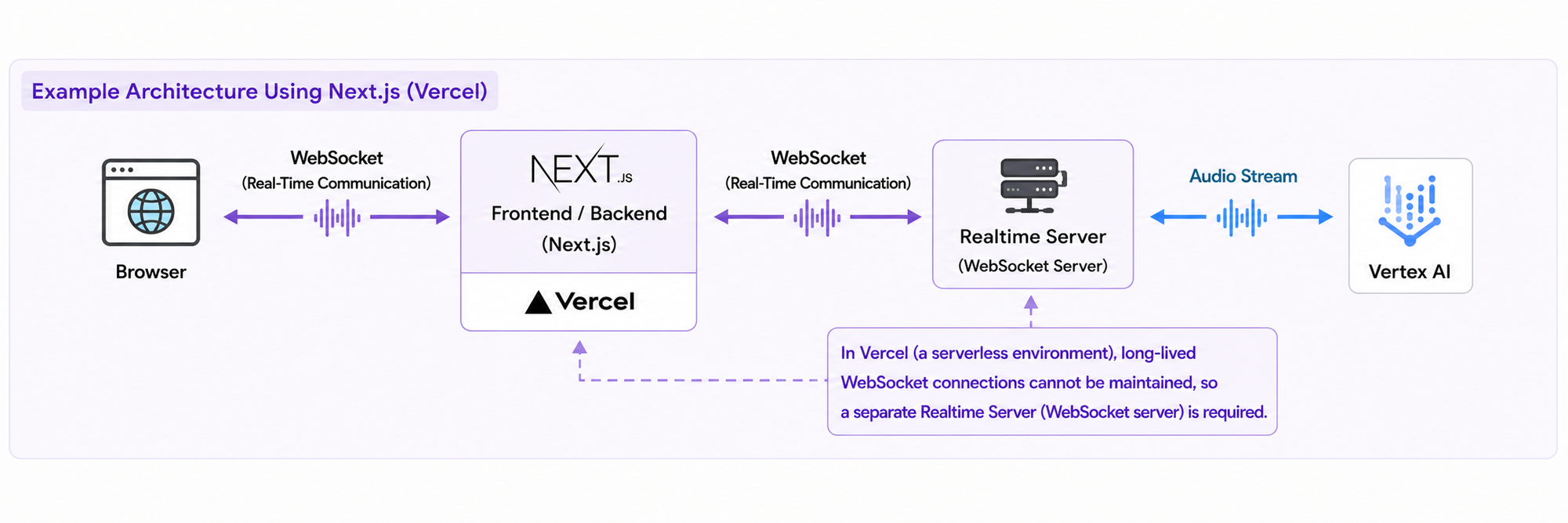
Building a real-time server requires more than simply relaying audio.
It also requires consideration of:
- Maintaining long-running connections
- Reconnecting after disconnection
- Managing sessions for individual users
- Buffering audio data
- Scaling according to the number of concurrent connections
- Timeouts
- Usage and billing controls
- Logs and monitoring
- Audio-format conversion
A feature that appeared small during the PoC significantly expanded the development and operational scope when moved toward production.
Our Response: Using LiveKit to Manage Voice Communications
Implementing the entire real-time audio communications layer ourselves would have created a large development burden as well as ongoing operational work.
We therefore introduced LiveKit as a WebRTC platform.
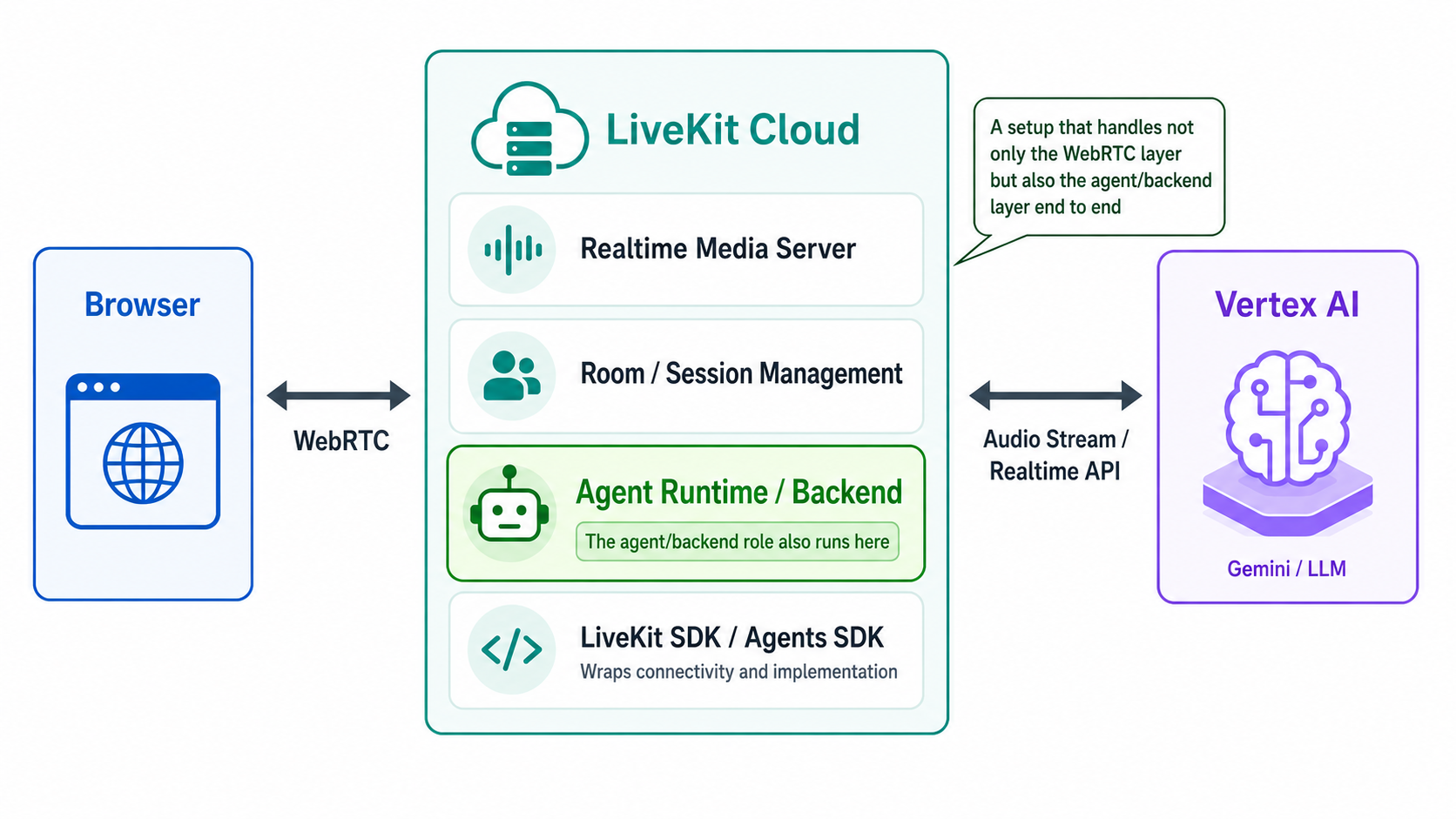
Using LiveKit made it easier to manage:
- Real-time audio communication
- Sessions for individual users
- Connection-state monitoring
- Integration with Agent processes
Compared with building a WebSocket server entirely from scratch, we did not need to implement every voice-communication function ourselves.
Managing communications through infrastructure under our control also made it possible to collect session-level logs.
Examples included:
- Connection start and end times
- Disconnection reasons
- Number of reconnections
- Volume of transmitted and received audio data
- Time until the AI began responding
- API errors
- Model and configuration used
- Changes in session state
This made it easier than before to distinguish between:
- Problems with the API
- Problems with the communications platform
- Problems with the client
Browser- and Device-Specific Problems Remained Even After Introducing LiveKit
Combining LiveKit with Vertex AI made server-side communication and operations easier to stabilize.
However, it did not resolve every issue.
In actual user environments, problems remained such as:
- Delayed audio playback only on certain devices
- Interrupted audio only in certain browsers
- Changes in audio quality after long usage periods
- Different behavior depending on the state of a Bluetooth device
- Problems when switching microphones or speakers
- Issues reproducible only in a particular user’s environment
- Audio playback suddenly becoming extremely slow
One of the most difficult events to diagnose occurred when the audio suddenly began playing in slow motion during a conversation.
Subjectively, it appeared to play at approximately one-tenth of the normal speed.
The audio data itself was still being returned by the server, but the client did not play it at the correct speed.
Possible causes included:
- Audio sample-rate handling
- Audio buffering in the browser
- The state of the AudioContext
- Device load
- Insufficient memory
- Reconnection of the audio track
- Power-saving controls in the operating system or browser
- A temporary failure in audio decoding or playback
However, the amount of information available from a web application is limited.
Increasing server-side logs does not provide full visibility into the internal state of the browser or device.
For example, the following information may not be sufficiently observable:
- Detailed state of the operating system’s audio devices
- Use of an audio device by another application
- Internal browser audio processing
- CPU and memory usage across the entire device
- Operating-system background controls
This experience showed that server-side stability and user-device stability must be considered separately in a voice AI service.
LiveKit reduces challenges in the real-time communications layer, but it cannot resolve every audio-playback problem occurring on the user’s device.
At Present, a Native Application Combined with Vertex AI Is a Strong Option
Through this validation, we concluded that the following architecture is a strong option for a production product intended for continuous use.
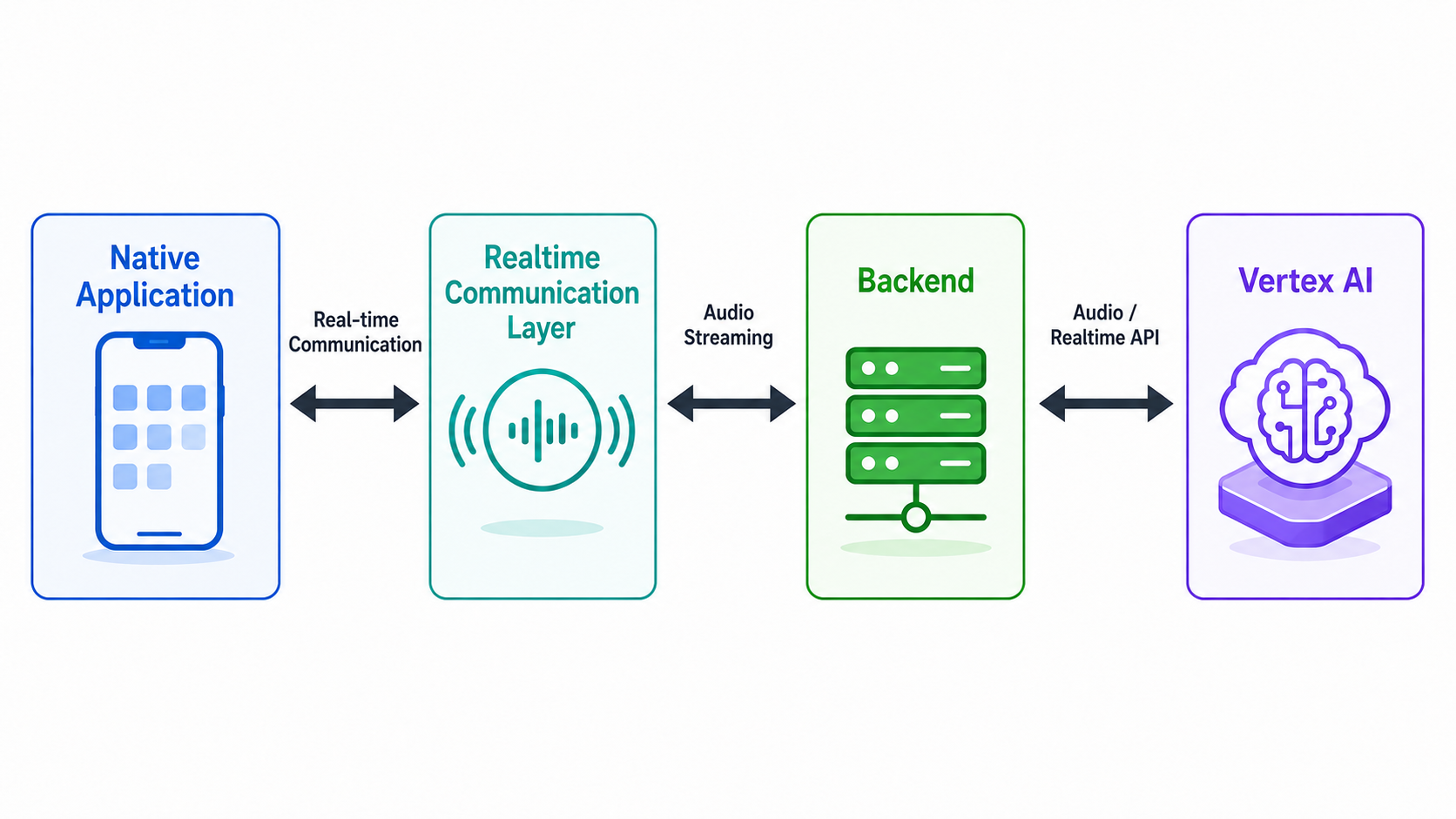
In other words, the architecture combines a native application with Vertex AI.
This does not mean that every service requires the same architecture.
A browser-based architecture may be more appropriate for:
- Short demonstrations
- Internal tools with a limited number of users
- Services that users should be able to try without installation
A native application may be worth considering when:
- Users hold long voice conversations
- Audio delays or interruptions affect business operations
- Microphones and speakers need to be controlled reliably
- Detailed device and audio-equipment information is required
- Detailed root-cause investigation is necessary after an incident
- The service is used continuously for field operations, customer service, or education
- The user environment can be standardized to some extent
A native application generally provides better access to device and operating-system functions than a browser.
This can make it easier to monitor and control:
- Microphone and speaker state
- Application memory usage
- Background behavior
- Audio sessions
- Device changes
It can also provide more options for investigating incidents.
Using Vertex AI in the backend also makes it easier to integrate authentication, usage management, and monitoring within Google Cloud.
For that reason, when operational stability and management are important, we currently consider a native application combined with Vertex AI to be a strong option.
However, this is not the only correct architecture for every product.
Model availability and service specifications change quickly. Before making an implementation decision, the following factors should be evaluated again:
- Available models
- Conversation and voice quality
- Target regions
- Quotas and concurrent connections
- Infrastructure costs
- Expected user devices
- Length of each session
- Required scope of incident investigation
The important point is not to adopt the latest model automatically, but to select an architecture by working backward from the quality required by the service.
What New Business and PoC Teams Should Confirm Before Commercial Development
When a voice AI PoC successfully holds a conversation, it may appear ready for commercialization.
In reality, the architecture and client approach may need to be substantially reconsidered in the next phase.
Before beginning commercial development, at least the following points should be confirmed.
1. Clarify What the PoC Did and Did Not Validate
Even if the PoC confirmed the user experience and service value, it may not have validated:
- Concurrent use by multiple people
- Long periods of continuous use
- Slow or unstable networks
- Multiple browsers and operating systems
- Devices with limited memory or CPU capacity
- Recovery from API failures
- The impact of model updates
When evaluating the PoC, the team should not look only at whether it succeeded.
It should also document the conditions that were actually tested.
2. Separate User-Experience Validation from Technical-Stability Validation
Testing whether users find voice AI useful and testing whether the system works reliably in production have different objectives.
The first focuses on:
- Conversation design
- Service value
- User behavior
- The business hypothesis
The second focuses on:
- Concurrent connections
- Communications
- Device differences
- Logging
- Monitoring
- Recovery
Instead of trying to validate everything in a single PoC, dividing the validation into stages makes the results easier to evaluate.
3. Define the Expected Usage Environment
A requirement such as “voice AI that works on the web” is not specific enough.
The team should define:
- PC, smartphone, or tablet
- Chrome only or Safari as well
- Expected duration of one conversation
- Number of simultaneous users
- Whether it must work in locations with poor connectivity
- Whether user devices can be specified or standardized
The appropriate architecture changes depending on these conditions.
4. Do Not Select the Architecture Based Only on Model Quality
Model quality is extremely important in voice AI.
For a commercial service, however, the following are equally important:
- Authentication
- Concurrent connections
- Quotas
- Communication paths
- Logs
- Monitoring
- Incident recovery
- Model-update management
- Client-device control
The model that provided the most natural conversation during the PoC is not necessarily the best model or platform for the production service.
5. Include Possible Rebuilding After the PoC in the Plan
The architecture used for the PoC may not be suitable for production without modification.
The PoC should be treated as a way to validate the business hypothesis and user experience quickly.
When moving to production, the team may need to reconsider:
- The API
- The model
- Authentication
- Communications infrastructure
- The client approach
- Logs and monitoring
- Overall infrastructure
Rather than forcing the PoC and production architecture to be identical, it is important to recognize in advance which elements can be retained and which may need to be rebuilt.
Lessons Learned
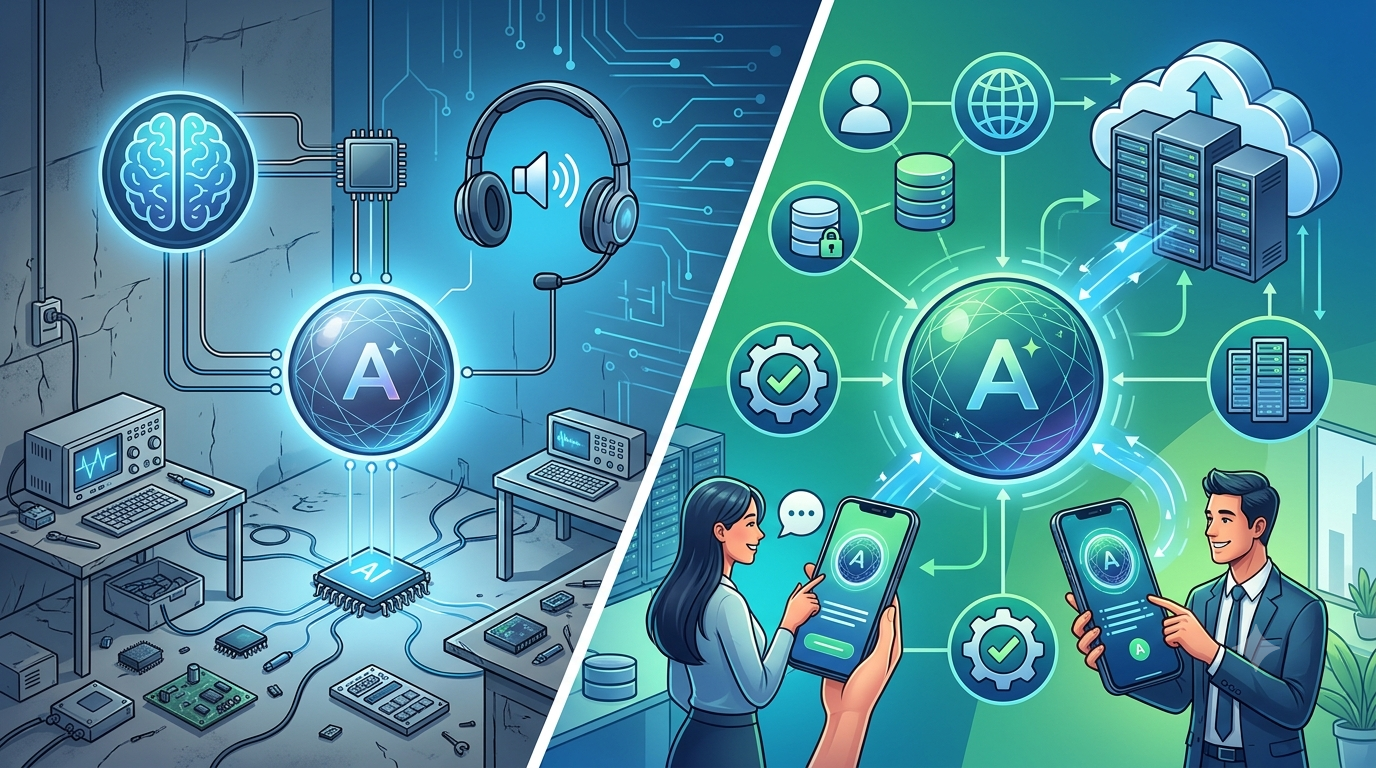
1. A Successful PoC Does Not Guarantee Successful Commercialization
Making a feature work with a small number of users, short sessions, and limited devices is different from enabling many users to use it continuously.
In this PoC, we prioritized validating the user experience and service value. As a result, the architecture for production operations had not been considered sufficiently.
When using the PoC result to make a commercialization decision, the team must clarify what was not validated.
2. Test Concurrent Use Early
A system that is stable for one user may behave differently when multiple users connect simultaneously.
It is important not only to check published quotas but also to test with the expected number of actual users and evaluate both voice quality and connection status.
3. Evaluate the Latest Model and Production Stability Separately
The latest model may provide an excellent conversational experience but may not always be the most stable choice for production.
The decision should include:
- Authentication
- Quotas
- Continued availability
- Monitoring
- Incident investigation
- Impact of updates
4. Changing the API May Require Changing the Entire System
Moving from the Gemini API to Vertex AI may involve more than changing an endpoint.
It may also require changes to:
- Authentication
- Communication paths
- Backend services
- Session management
- Logging architecture
5. LiveKit Does Not Eliminate Device-Side Problems
A WebRTC platform such as LiveKit can reduce problems associated with real-time communication and session management.
However, it cannot resolve every issue caused by:
- Browsers
- Operating systems
- Audio devices
- Device load
When considering device-specific events such as extremely slow audio playback, client-side observability and control become important.
6. For Production, a Native Application Combined with Vertex AI Is Currently a Strong Option
Considering device control, incident investigation, authentication, and operational management together, a native application combined with Vertex AI can be a strong option for long-running voice AI services.
However, a web application may still be more suitable when ease of access and speed of introduction are more important.
Rather than deciding between web and native in advance, the choice should be based on:
- Required stability
- Session length
- Usage environment
- Device-control requirements
In our experience, projects using voice AI in native applications have been operating stably.
Conclusion
A Speech-to-Speech PoC using Gemini can be built in a relatively short period of time.
Turning it into a commercial service, however, requires designing many elements beyond the AI model.
In this PoC, we prioritized validating the user experience and the value of the overall service, including its surrounding features.
For that objective, connecting directly from the browser to the Gemini API was effective.
As commercialization progressed, however, issues became apparent, including:
- Instability during concurrent use
- Errors that appeared to be rate limits
- Changes in model behavior
- Browser- and device-specific audio problems
Moving the communications architecture to LiveKit and Vertex AI improved server-side manageability and observability.
However, problems believed to originate in the browser or device remained, including cases in which audio suddenly became extremely slow.
The most important lesson from this experience was:
In voice AI, the architecture must be designed not only around which AI model is used, but also around which device is used, which communication path is used, and how much of the system can be observed and controlled.
During a PoC, quickly validating the business hypothesis and user experience is important.
During commercialization, the service must operate reliably across different devices and networks, and the cause of a problem must be investigable when an incident occurs.
Therefore, the following points should be considered from the beginning of the PoC:
- What will the PoC validate?
- What additional validation will be needed before commercialization?
- How many simultaneous users are expected?
- How long will each session last?
- What level of latency or disconnection is acceptable?
- How much root-cause investigation will be required after an incident?
- Is a web or native application more appropriate for the expected environment?
- Does the plan account for the possibility that the architecture will change between the PoC and production?
For a production product that prioritizes stability, operational management, and device control, we currently consider a native application combined with Vertex AI to be a strong option.
However, this is not the only correct answer for every voice AI service.
In voice AI, there is a major difference between making a PoC work and continuing to provide the experience as a service.
Recognizing that difference early and validating the user experience and commercial architecture in separate stages is essential for reducing rework.
Struggling to turn ideas into reality? With a proven track record of over 1,000 clients, our agile and flexible team will accelerate your business growth.
Book a Free ConsultationMore on "Generative AI & ML"
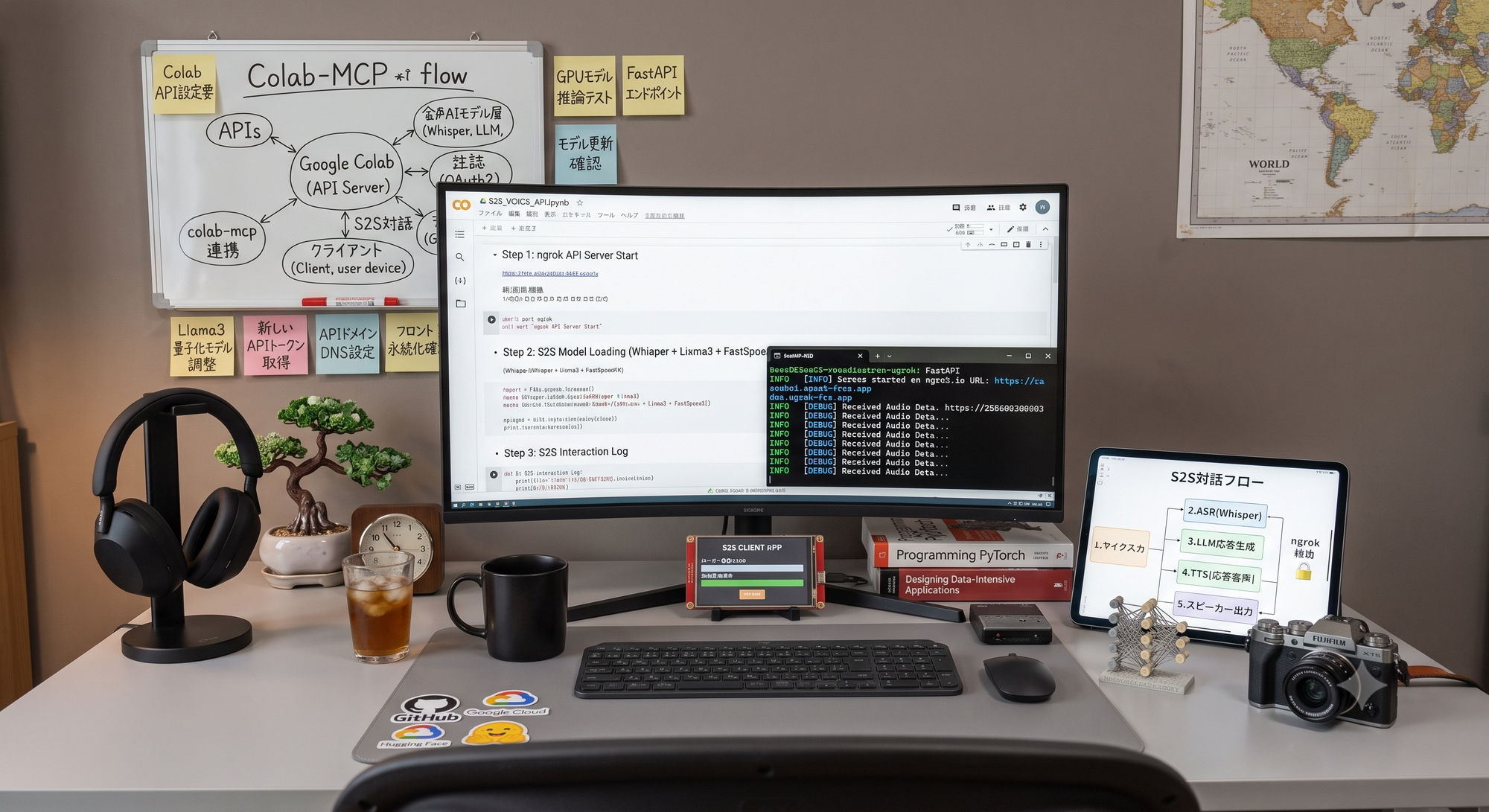
Turning Google Colab into an API Server to Run Speech-to-Speech Voice AI
This PoC turns Google Colab into a temporary WebSocket server for speech-to-speech AI. It combines faster-whisper large-v3, Gemini 2.5 Flash-Lite, VOICEVOX and Silero VAD, then improves latency through sentence buffering, streaming responses and parallel TTS generation.
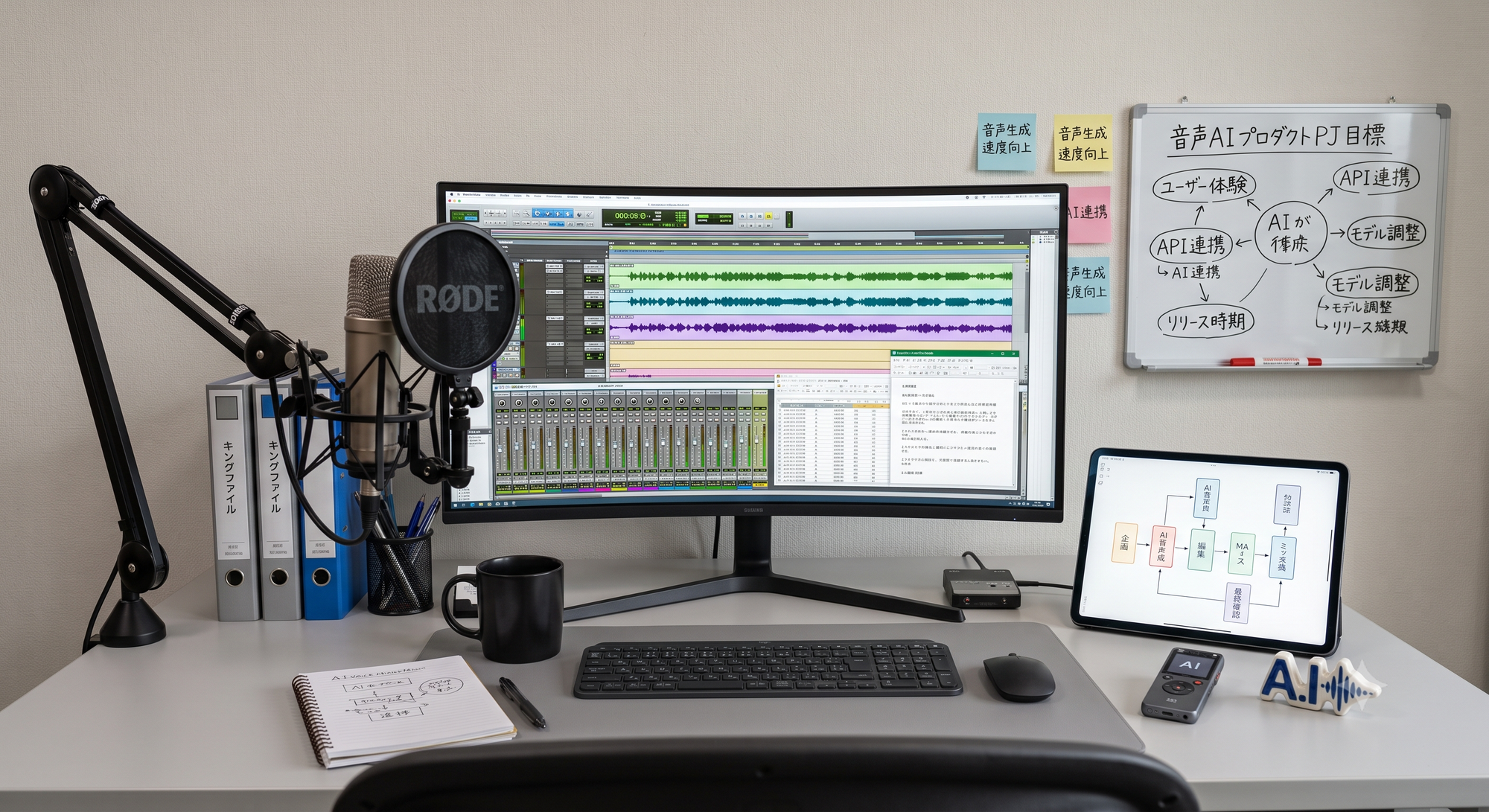
AI Voice Production: 5 Best Practices
AI voice content uses two AI stages: script generation and text-to-speech. This guide explains how to test predefined voices, turn subjective feedback into requirements, manage versions, prioritize trade-offs, run group listening sessions and use post-processing to stabilize quality.

A Concept for Developing AI Through Artificial Languages
Can AI learn logic more efficiently through an artificial language than through natural language? This article compares Esperanto, Lojban, and Ithkuil, then presents a custom GPT-2 model trained from scratch on Lojban-based data that achieved 100% accuracy on prepared three-valued logic tests.
